ELEGOO Centauri Carbon 2 Combo
$449.00
ELEGOO Centauri Carbon 2 Combo Review: Multicolor 3D Printing Hits a New Low Price
TLDR
The ELEGOO Centauri Carbon 2 Combo is the most affordable enclosed, four-color CoreXY 3D printer on the market – and it actually prints well.
- What it is: A fully enclosed CoreXY FDM printer with the four-color CANVAS multicolor system, priced at $449
- Who it’s for: Hobbyists, beginners, families, and budget-conscious makers who want multicolor printing without the premium price tag
- Top strengths: Exceptional value, excellent print quality, wide material compatibility up to 350°C, quiet operation under 45 dB
- Biggest limitation: The CANVAS system is less polished than Bambu Lab’s AMS – first-time filament loading can be finicky, and it’s not modular for original Centauri Carbon owners
- Quick verdict: If print quality and value are your priorities, this is the best deal in multicolor FDM printing right now
Why You’re Searching for This Review Right Now
The multicolor 3D printing market has been dominated by Bambu Lab for the better part of two years. Their AMS system works brilliantly, but the full P1S Combo setup will run you significantly more. Elegoo changed that equation when they launched the original Centauri Carbon – a fast, enclosed CoreXY printer for a fraction of what competitors were charging. The problem? It was single-color only, and Elegoo teased an upcoming multicolor upgrade that never materialized for that machine.
Now the Centauri Carbon 2 Combo arrives with multicolor built in from the start, priced at $449. If that sounds too good to be true for an enclosed, four-color, high-speed printer, you’re not alone in your skepticism. That’s exactly why this review synthesizes what engineers, hobbyists, beginners, and professional reviewers are actually saying after months of real-world use – not just what the spec sheet promises.
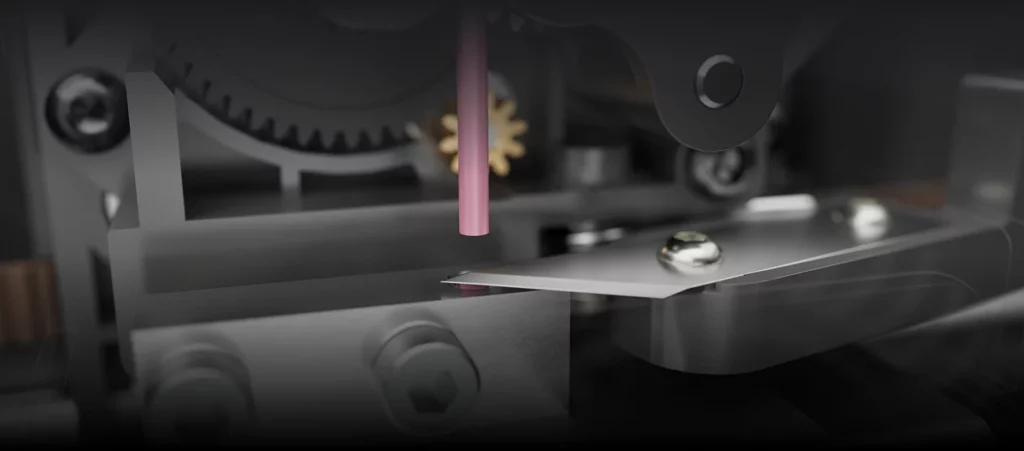
Photo: ELEGOO
What Is the ELEGOO Centauri Carbon 2 Combo?
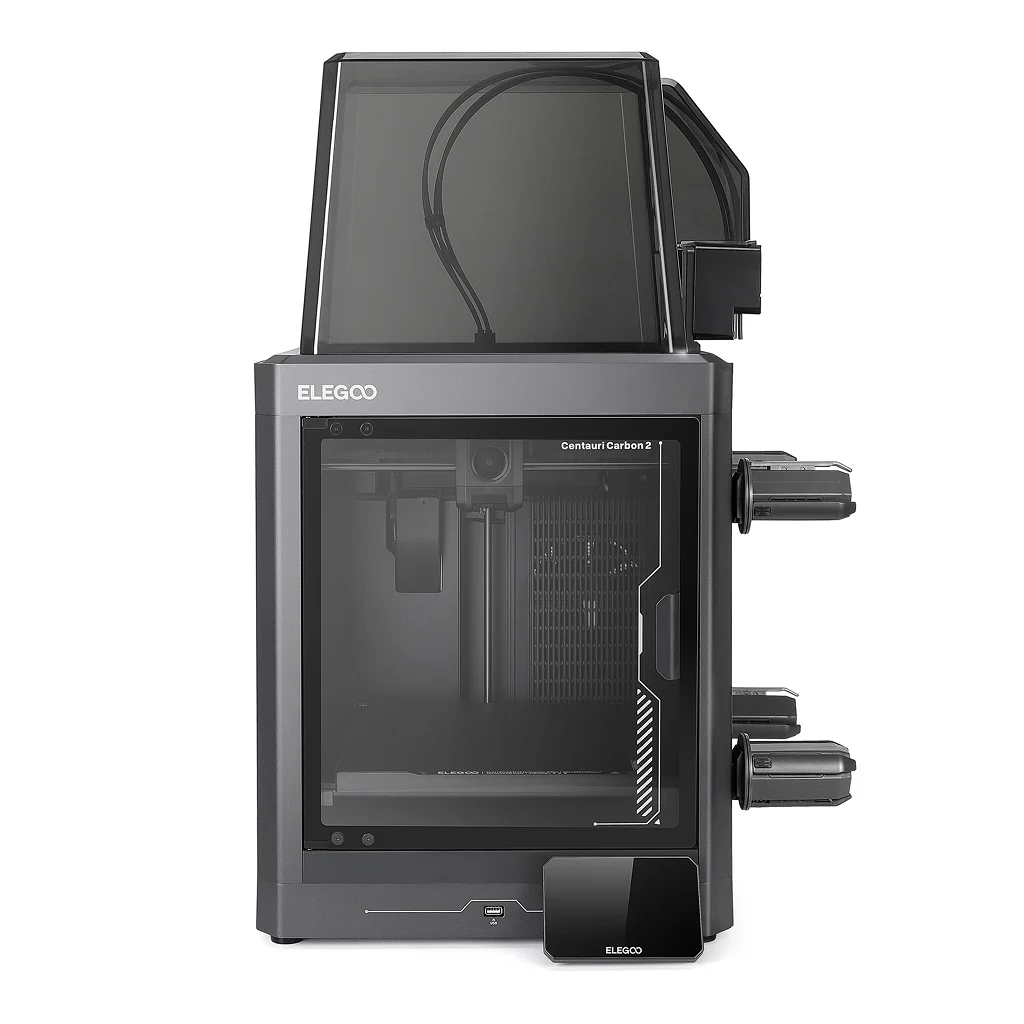
The Centauri Carbon 2 Combo is Elegoo’s flagship FDM 3D printer for 2026 – a fully enclosed, CoreXY-based machine capable of printing up to four colors simultaneously using the integrated CANVAS multi-filament system. It targets the growing segment of home users, families, educators, and hobbyists who want multicolor capability without paying Bambu Lab prices.
The “Combo” in the name refers to the CANVAS system, which is bolted to the right side of the printer and feeds four PTFE tubes into a single nozzle print head. Spools of filament sit on holders on the side of the machine, feeding through the CANVAS module, which handles switching, detection, and filament management. A large thermal “top hat” cover completes the enclosure to help retain heat during printing.
Specs worth knowing: 256 x 256 x 256 mm build volume, up to 500 mm/s print speed, 20,000 mm/s² acceleration, a 350°C hardened steel nozzle, a 110°C heated bed, 31 onboard sensors, and sub-45 dB noise levels in silent mode. The CoreXY motion system uses dual 4260 stepper motors with metal linear guide rods. Auto calibration is fully hands-off, including Z offset, bed leveling, and vibration compensation.
Who Does Elegoo Think This Machine Is For?
Elegoo has explicitly positioned the Centauri Carbon 2 Combo as “family-friendly.” That framing covers a few different things: the quiet operation means it can run in shared living spaces, the enclosed design contains fumes, and the touch-screen interface with full-auto calibration is designed to remove barriers for people who’ve never touched a 3D printer before. It’s also clearly aimed at anyone sitting on the fence about multicolor printing who balked at the Bambu Lab price tag.
Based on what reviewers and users across multiple platforms are reporting, the machine actually serves three distinct types of buyers well: absolute beginners who want good results with minimal fuss, intermediate hobbyists who want to step up to multicolor without rebuilding their workflow, and budget-conscious makers running small-volume print production for markets, schools, or content creation.
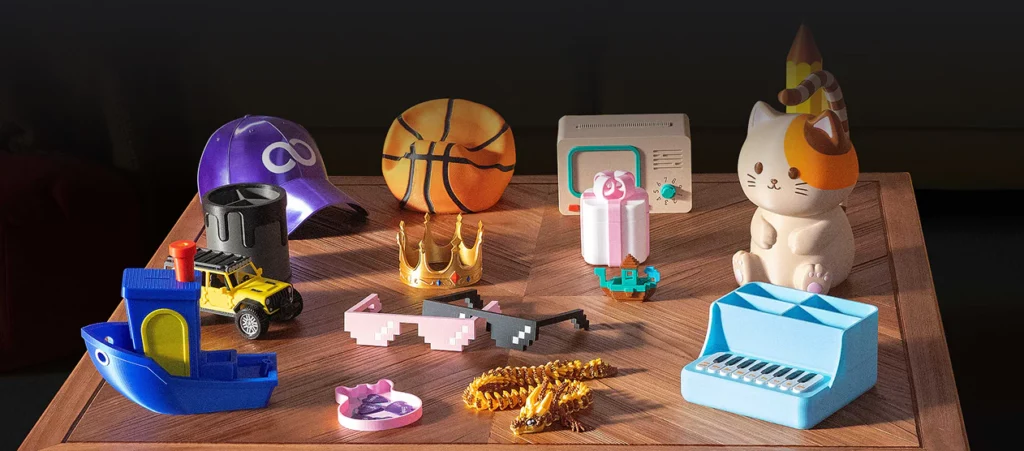
Photo: ELEGOO
CANVAS: The Multicolor System Explained
The CANVAS multi-filament system is the centerpiece of the Combo, and it’s where most of the interesting user conversation is happening. In concept, it works similarly to Bambu Lab’s AMS: it manages multiple filament spools, switches between them during a print, detects tangles, handles runouts automatically, and reads RFID tags on compatible Elegoo filament to load recommended print settings without any manual input.
In practice, reviewers consistently note that CANVAS is simpler to operate than it looks and comes up to speed quickly. One hands-on tester writing for a major tech outlet noted that it takes at most five minutes to learn everything you need to know about working the multi-filament system. Loading is straightforward, and the RFID scanning – where you hold the spool near the module’s reader until you hear a beep – feels intuitive after the first couple of tries.
Where CANVAS Falls Short
That said, reviewers from multiple publications flag the same recurring issues. The RFID scanning workflow is slightly more manual than Bambu’s AMS, which auto-detects filament simply by placing it in its slot. Several users report encountering filament loading errors on their first few prints, requiring them to manually trigger loading multiple times before filament actually extrudes from the nozzle. One reviewer was direct about it: once you know how to fix it, it’s not a huge problem – but for someone used to the more automatic process on other brands, it can be frustrating.
The spool holders have also been flagged as finicky in certain configurations, especially with spools that have a larger inner diameter than the 53-58mm the system is optimized for (a printed adapter is available but adds a step). The top hat thermal cover, which is essential for printing high-temperature materials, can be tricky to seat correctly during initial setup, and some reviewers note that if it rocks during operation, it affects print quality. A second pair of hands during setup is the most common piece of practical advice circulating in reviews and forums.
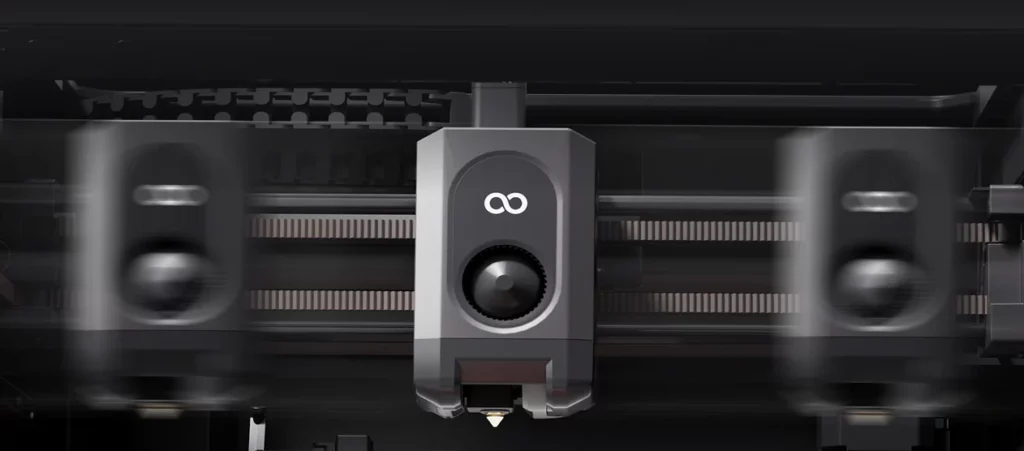
Photo: ELEGOO
Print Quality and Material Performance
This is where the Centauri Carbon 2 Combo earns its reputation. Across the board, reviewers from outlets including Tom’s Hardware, GamesRadar, TechRadar, Creative Bloq, and How-To Geek are largely in agreement: print quality is excellent for the price, performing at a level competitive with machines that cost significantly more.
PLA prints are smooth, fast, and reliable from the first layer. The dual-sided flexible build plate – one smooth PLA-optimized surface and one textured PEI side – gives users the right adhesion characteristics for their material without extra fiddling. Active vibration compensation and pressure advance calibration visibly improve edge definition and reduce ringing in high-speed prints, which is exactly what you want from a machine being pushed at 500 mm/s.
Engineering Materials: A Real Differentiator
The 350°C hardened steel nozzle is a meaningful spec, not just a marketing talking point. At this price, most multicolor printers cap out at 300°C – Bambu Lab’s P1S being a direct example. The extra headroom means the Centauri Carbon 2 Combo can handle PC, PETG-CF, PLA-CF, PAHT-CF, ASA, and ABS with the kind of thermal stability that actually produces reliable results. The enclosed chamber with smart grille keeps temperatures stable for warping-prone materials, and the 110°C heated bed is hot enough to handle demanding filaments without adhesion failures.
Users focused on functional printing – brackets, enclosures, parts that need to survive real use – report that the Centauri Carbon 2 punches well above its price class for engineering-grade materials. TPU also works natively, though using it with the CANVAS system requires installing a Flexible Filament Adapter (provided on the included USB drive) and disconnecting the CANVAS cable.
Multicolor Print Results
Multicolor printing on the CC2 produces results that impress hobbyists and reviewers alike. Lightboxes, articulated figures, color-coded game accessories, and detailed decorative models are all reported as printing well. One reviewer mentioned initially struggling with first-layer adhesion on red PLA in a multicolor print – a hiccup, not a deal-breaker – and found that subsequent prints ran without issue.
It’s worth noting that the 4-in-1 single nozzle approach means color transitions produce some waste filament (purge material) during switching, which is standard for this style of system. If you’re printing highly detailed multicolor objects where color boundaries matter at the millimeter level, that’s worth understanding before buying.
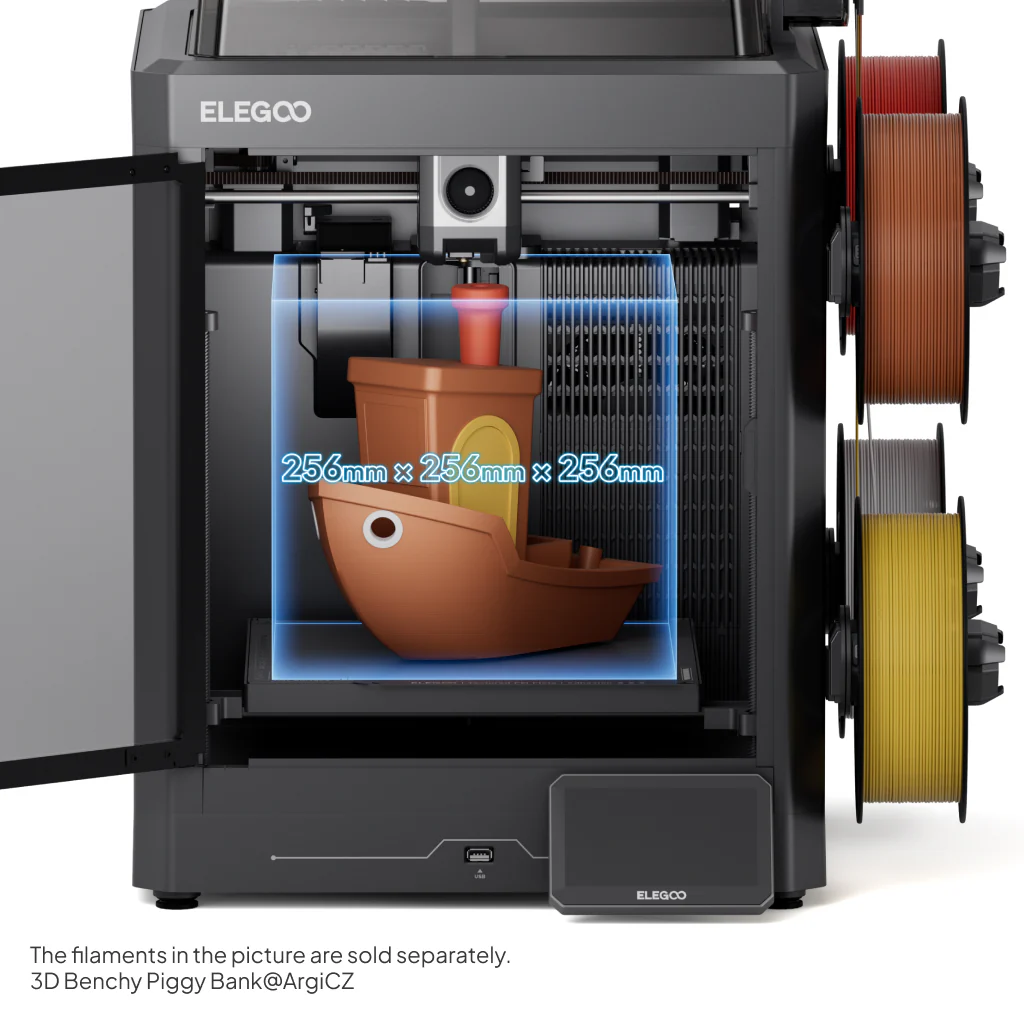
Photo: ELEGOO
Noise, Design, and Daily Usability
The sub-45 dB quiet mode claim isn’t just marketing fluff. Reviewers consistently describe the CC2 as meaningfully quieter than its predecessor and comparable to a dishwasher in the same room. One reviewer ran it in their living room for over a week and called it tolerable. The rubber feet help with vibration absorption, though at high speeds on certain desks, some users report noticeable shaking – a desk with mass behind it will handle this better than a lightweight IKEA table.
The enclosed design is legitimately useful. The glass front door and solid metal side panels give the machine a polished, appliance-like appearance that doesn’t feel out of place in a home office or creative space. The 5-inch touchscreen interface is well-regarded across virtually every review – intuitive, responsive, and genuinely useful for managing prints without needing to open a laptop.
The 31-sensor monitoring system earns practical praise from real users. Clog detection, filament runout alerts, fan self-checks, bed overheat protection, and power loss recovery are all working features, not checkbox specs. Hobbyists running overnight prints especially appreciate the real-time camera monitoring via the ELEGOO Matrix app, which also enables remote print control.
The Ecosystem Question
ElegooSlicer, based on OrcaSlicer, is functional and familiar to anyone who has used an Orca-based workflow. Bambu Lab 3MF files can be imported, and multiple reviewers tested this with successful results, including using Bambu presets with only minor adjustments. The Nexprint model hub – Elegoo’s equivalent of Makerworld or Printables – has a growing catalog, though reviewers note that the number of models specifically designed to leverage multicolor capability remains limited compared to the broader single-color library. That will change over time, but right now it means more advanced multicolor projects often require users to prepare their own files.
If seamless ecosystem integration, phone-first remote control, and the most mature third-party slicer compatibility are priorities, Bambu Lab still has an edge in software polish. Users who are fully invested in the Bambu ecosystem and love the Bambu Studio workflow will find the transition to ElegooSlicer requires some adjustment.
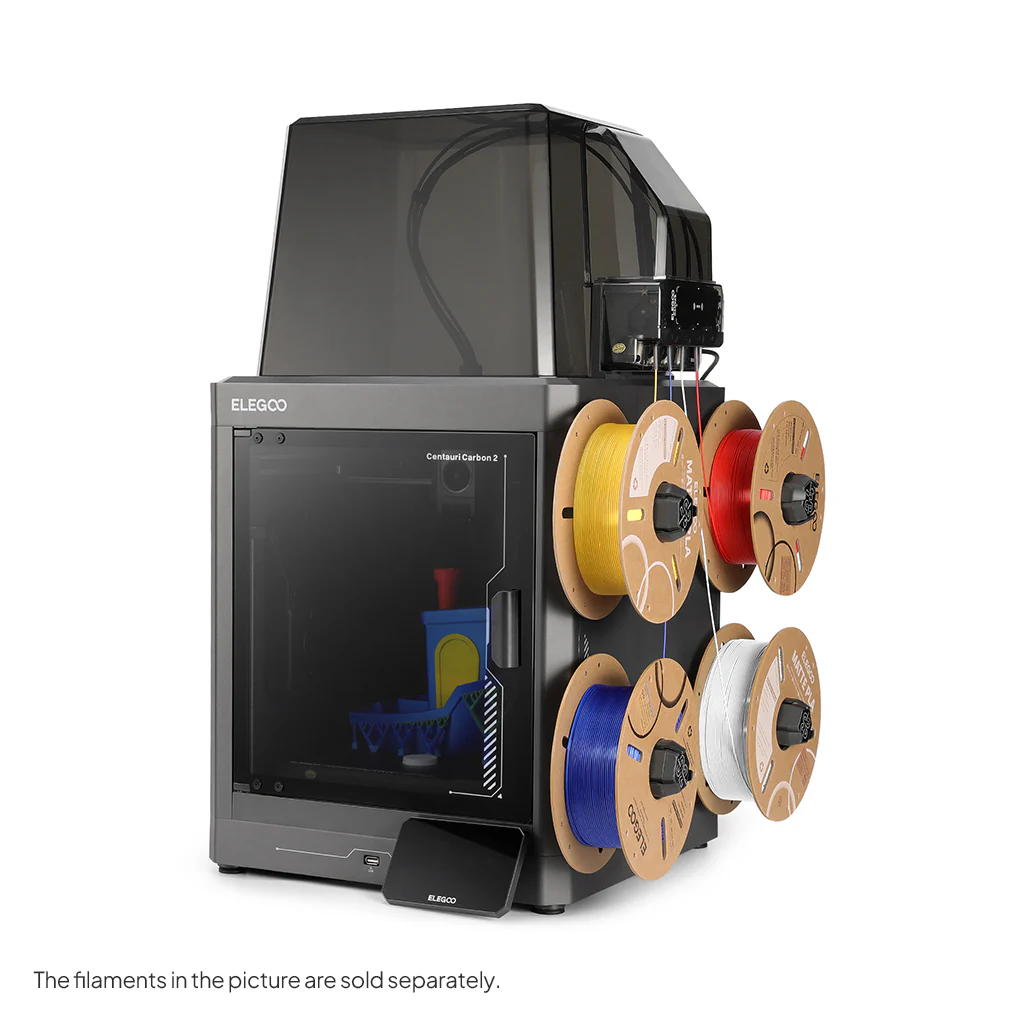
Photo: ELEGOO
Pricing and Value
At $449 for the Combo (printer plus CANVAS system), the Centauri Carbon 2 Combo is positioned as the most cost-effective entry into enclosed four-color CoreXY printing available. The Bambu Lab P1S Combo and Creality K2 Combo both sit around $549 at comparable configurations – that’s a meaningful $100 gap. Multiple reviewers across different outlets use the word “steal” without hyperbole when describing the CC2’s price-to-performance ratio.
For context, Bambu Lab’s AMS system alone costs roughly as much as the entire CC2 Combo in some regions. The comparison is stark: for $449, you get a fully enclosed printer with four-color capability, a 350°C nozzle, and full-auto calibration baked in. Bundle options sweeten the deal further – at the time of writing, Elegoo is offering filament add-ons for essentially nothing (1-4 kg for $1) with Combo purchases, which genuinely helps offset early filament costs.
The 12-month warranty on the machine body is standard. It’s worth noting that consumable parts like nozzles, PTFE tubes, and the print surface have no warranty coverage – also standard, but worth understanding if you’re coming from a category where you haven’t had to think about part replacement costs before.
Who Should Buy the ELEGOO Centauri Carbon 2 Combo
This machine is a strong match for beginners who want a capable, family-friendly printer that doesn’t require a manual the size of a novel to operate. It’s equally well-suited to intermediate hobbyists making the jump to multicolor for the first time and not wanting to spend Bambu Lab money to get there. Educators setting up maker spaces on tight budgets, small creators running low-volume print production for markets or events, and anyone upgrading from an open-frame printer who wants the benefits of enclosure – all of these use cases appear consistently in the community of people who’ve actually bought and used the machine.
Who Should Look Elsewhere
If you’re an existing Centauri Carbon owner who was hoping to upgrade with a multicolor module – this isn’t that. Elegoo dropped a $80 coupon as compensation, but if you’re not willing to buy a whole new machine, the CC2 Combo doesn’t help you. Power users who need more than four colors simultaneously will find the CANVAS system limiting compared to setups that can handle eight or sixteen colors. And if a seamless, one-touch digital ecosystem with native app integration is non-negotiable for you, Bambu Lab’s more mature platform remains worth the price premium. Finally, if a 256 x 256 x 256 mm build volume isn’t enough for your projects, this printer isn’t going to change your life regardless of what it costs.
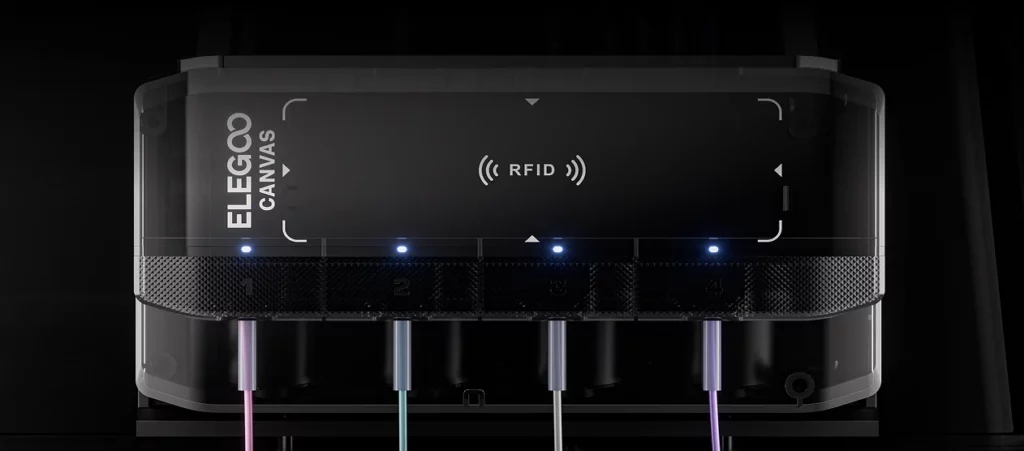
Photo: ELEGOO
Bottom Line
The ELEGOO Centauri Carbon 2 Combo does something difficult: it makes multicolor 3D printing genuinely accessible without gutting print quality or material performance to get there. The CANVAS system has real quirks – finicky first-time loading, slightly manual RFID scanning, spool holder limitations – but these are workarounds users figure out quickly and then forget about. The print quality is legitimately excellent. The noise levels are livable. The material versatility at 350°C puts it ahead of more expensive competitors in ways that matter for functional printing.
The honest catch is this: if you want the smoothest, most polished multi-material printing experience on the market, Bambu Lab still delivers that – and charges accordingly. The Centauri Carbon 2 Combo is the right choice for the majority of home and hobbyist users who want great results at a fair price, and a poor choice only for the minority who need a level of software and ecosystem integration the $449 price point simply doesn’t include. At this price, for this performance, the competition has a problem.
What’s your experience with multi-filament printers in this price range – are the CANVAS quirks deal-breakers for you, or do you think the value overcomes them?
FAQ
Is the ELEGOO Centauri Carbon 2 Combo good for beginners?
Yes – multiple reviewers explicitly recommend it as an excellent entry point for 3D printing beginners. The full-auto calibration, intuitive touchscreen, enclosed design, and straightforward CANVAS system mean you can go from unboxing to a successful first print without significant troubleshooting. That said, the initial filament loading can require some patience.
How does the CANVAS system compare to Bambu Lab’s AMS?
Both systems handle automatic filament switching, RFID filament detection, tangle prevention, and runout management. Bambu’s AMS is more mature, auto-detects filament as soon as it’s loaded, and integrates more seamlessly with the Bambu Studio slicer. CANVAS requires manual RFID scanning before placing the spool and has a slightly steeper initial learning curve. Once you’re past the first setup, most users find CANVAS reliable and easy to work with.
Can the original Centauri Carbon be upgraded to multicolor?
Not officially, and not with the CC2’s CANVAS system. Elegoo indicated they are still developing a multicolor solution for the original Centauri Carbon, but as of this writing, no upgrade kit exists. Owners of the first-gen machine were offered an $80 discount coupon toward a new Centauri Carbon 2 purchase as compensation for the undelivered upgrade promise.
What filaments can the Centauri Carbon 2 Combo print?
The 350°C hardened steel nozzle and 110°C heated bed give it a wide material range: PLA, PETG, ABS, ASA, PC, PA, PLA-CF, PETG-CF, PETG-GF, PAHT-CF, and TPU. TPU requires a Flexible Filament Adapter (included on the USB drive) and disconnecting the CANVAS cable. Fiber-reinforced filaments work with CANVAS but will wear the feed parts faster with heavy use.
Is the ELEGOO Centauri Carbon 2 Combo quiet enough for an apartment?
Most reviewers say yes, with some caveats. In silent mode it measures under 45 dB, which is comparable to a dishwasher or quiet conversation. At maximum print speeds, it produces more noise and noticeable desk vibration. If you’re in a shared wall apartment and running high-speed prints at night, your neighbors may disagree – but for daytime use in a home office or living space, it’s manageable.
How does it compare to the Bambu Lab P1S Combo in price?
The CC2 Combo is priced at $449 versus approximately $549 for the P1S Combo, making it roughly 18% cheaper. The CC2 also offers a higher maximum nozzle temperature (350°C vs 300°C) and what reviewers describe as a more intuitive touchscreen interface. The P1S Combo advantages are ecosystem maturity, wider color expansion potential (up to 16 colors with multiple AMS units), and more polished software integration.
Does the Centauri Carbon 2 require assembly?
Minimal assembly is required. The machine ships largely pre-assembled, with setup focused on attaching the CANVAS module, threading the PTFE tubes, fitting the top hat thermal cover, and running calibration. Most users report getting to their first print within an hour of unboxing. Having a second person available for the top hat installation is widely recommended.
What’s the build volume of the Centauri Carbon 2 Combo?
The build volume is 256 x 256 x 256 mm – a cube roughly 10 inches on each side. This is competitive with Bambu Lab’s P1S and adequate for the majority of hobbyist prints. If you regularly print large single-piece objects or need a bigger print bed, you’ll want to look at larger-format printers.
Can you monitor prints remotely with the Centauri Carbon 2?
Yes. The ELEGOO Matrix app allows remote monitoring and print control via Wi-Fi, and the built-in camera supports real-time monitoring and timelapse creation. Reviewers note that the ecosystem integration – app, camera, slicer – is functional, though Bambu Lab’s equivalent remains more polished and feature-complete.
Is the Centauri Carbon 2 Combo worth it for someone who already has the original Centauri Carbon?
This is the most divided question in the community. If you’re happy with single-color printing, the upgrade isn’t compelling. If multicolor is genuinely something you want, the $449 price (minus the $80 coupon from Elegoo) represents reasonable value. Reviewers who own the original consistently note the CC2 improves on it across the board – quieter, better lit, larger screen, and obviously multicolor-capable – but buying a whole new printer when you already own a working machine is a real financial decision, not an obvious upgrade path.