HTVRONT iPaint AI Painting Machine Standard Kit
Original price was: $229.99.$69.99Current price is: $69.99.
TLDR
A genuinely novel AI-powered plotter that auto-draws numbered outlines on canvas, wood, and paper so you can skip straight to painting – no artistic ability required.
- What it is: A compact drawing machine that converts any photo into a paint-by-numbers outline using the free LOKLiK IdeaStudio app
- Who it’s for: Hobby painters, crafty families, embroidery enthusiasts, and total beginners who want the therapeutic part of painting without the sketching barrier
- Top strengths: Intuitive software, heat-erasable pen that vanishes under a hairdryer, broad material compatibility, and an impressively low learning curve
- Biggest limitation: No fixed material alignment point means larger projects are prone to drift, and some numbers print too small to read comfortably
- Quick verdict: A first-generation product with genuine charm and real-world usefulness – worth the price if the paint-by-numbers format clicks with you, but go in with calibrated expectations
Introduction
Here’s the situation most craft-curious adults find themselves in: they’d genuinely love to paint something, but the blank canvas is paralyzing. Traditional paint-by-numbers kits solve the “what to paint” problem but force you into someone else’s image. Learning to sketch takes years. And frankly, most people just want to sit down, pick up a brush, and enjoy the meditative rhythm of putting color to canvas – not wrestle with composition.
That’s the specific gap the HTVRONT LOKLiK iPaint AI painting machine is trying to fill. It’s a plotter-style device that auto-draws custom numbered outlines from any photo onto virtually any flat surface, then hands the brushes over to you. The concept is sharp. But between a clever idea and a machine people actually recommend to their friends, there’s always the question of execution. That’s what this review digs into.
What the LOKLiK iPaint Actually Is
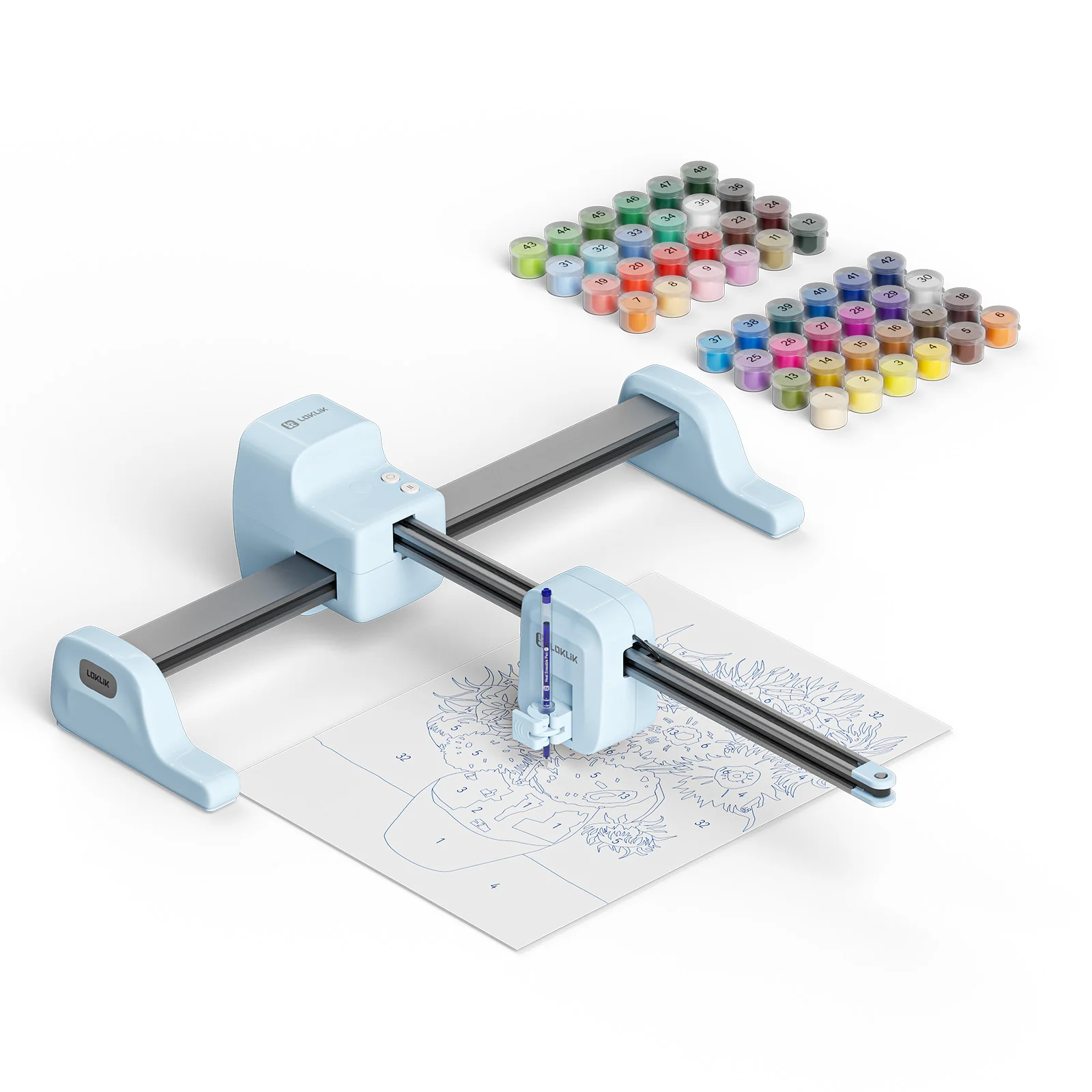
Before anything else, it helps to be clear on what this machine does – and what it doesn’t. The iPaint is not a printer. It’s not laying down color onto your canvas. It’s a pen plotter: a motorized arm that physically draws outlines using a pen, guided by coordinates generated by the IdeaStudio software. Think of it as a CNC machine for sketching, optimized specifically for the paint-by-numbers workflow.
Reviewers consistently compare it to the pen-slot function on a Cricut or Silhouette plotter – but purpose-built for painting prep rather than general cutting or crafting tasks. That narrower focus is both its clarity and its constraint, a point worth returning to when weighing whether this machine belongs in your setup.
What’s in the Box
The standard kit arrives with the machine in two parts, a roll of canvas large enough for two to four full-sized drawings, two heat-soluble pens, one gel pen, four paint brushes, a screwdriver, the required assembly screw, and either a 48-pack or 5-pack of numbered acrylic paint pots depending on which version you choose. The 48-color set is the one to get – the software color-matches based on that specific paint palette, while the 5-paint option requires you to mix colors yourself, which defeats a big part of the convenience.
One practical note flagged by multiple hands-on reviewers: the single assembly screw and its silicone cover can rattle loose at the bottom of the box and are easy to overlook. Pull everything out carefully before recycling any packaging. It’s a minor oversight on an otherwise tidy unboxing experience.
Size, Setup, and Space
The machine requires roughly 23 x 22 inches of flat, sturdy workspace, with a maximum drawing area of 16.5 x 11.7 inches – slightly larger than an A3 sheet of paper. Assembly is minimal: you connect the drawing head to the base, tighten one center screw, and plug it in. Most hands-on testers described setup as genuinely beginner-friendly. More than one reviewer noted they navigated the software without needing the manual at all, which is a meaningful signal for a hardware product in this category.
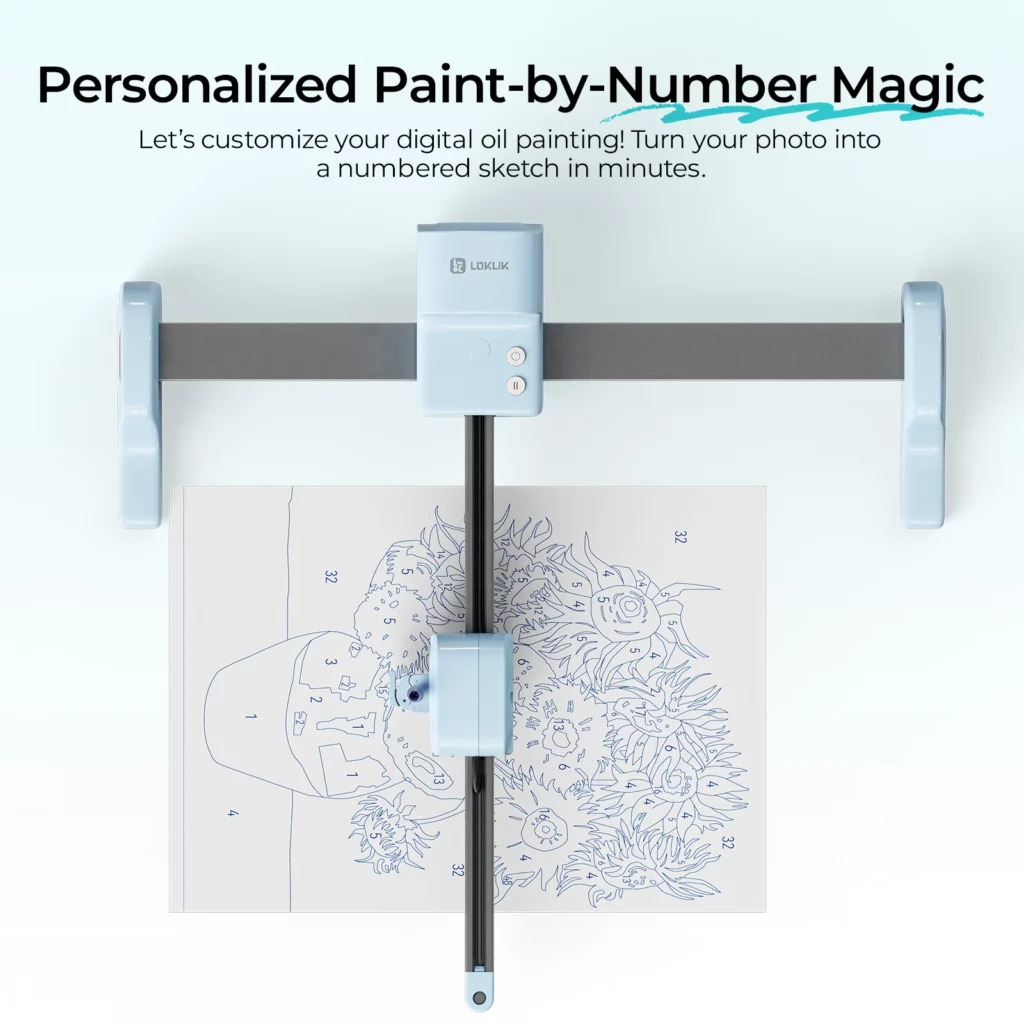
Photo: HTVRONT
The IdeaStudio Software Experience
The software is arguably where the iPaint lives or dies, and the good news is that it holds up reasonably well. IdeaStudio is free to download and runs on Windows 10 or later, macOS 11 or later including Apple M1 and M2 chips, Android 9 or later, and iOS 11 or later. You connect the machine via Bluetooth or USB, upload a photo or pick from a template library, select a complexity level and canvas size, and send it to draw.
The process is largely hands-off beyond those initial steps. Depending on image complexity and canvas size, a drawing can take anywhere from a few minutes to around an hour – one reviewer’s A3 sunset scene ran about 45 minutes. That’s not a criticism. Watching the arm methodically trace a photo onto canvas has a satisfying, almost hypnotic quality that multiple users specifically mentioned as part of what makes the experience enjoyable.
Where the App Stumbles
The IdeaStudio app has rough edges worth knowing about before you buy. App store reviews note recurring issues including crashes when scrolling through the image library, font function problems, and difficulty importing files from third-party apps. Users on the LOKLiK community forum have flagged that there’s currently no simple way to set canvas size at the start of a project – you have to work through the full project generation process before a custom size becomes selectable. For anyone doing multiple projects in different dimensions, this is a friction point that adds up.
That said, HTVRONT does appear to iterate actively. Recent software updates have added AI style conversion, smart background removal, and oil painting effect modes. The community forum shows the development team responding to feedback and posting changelogs, which suggests these early-stage software issues have a real chance of getting addressed. For now, treat the app as a version 1.x product and budget a little patience accordingly.
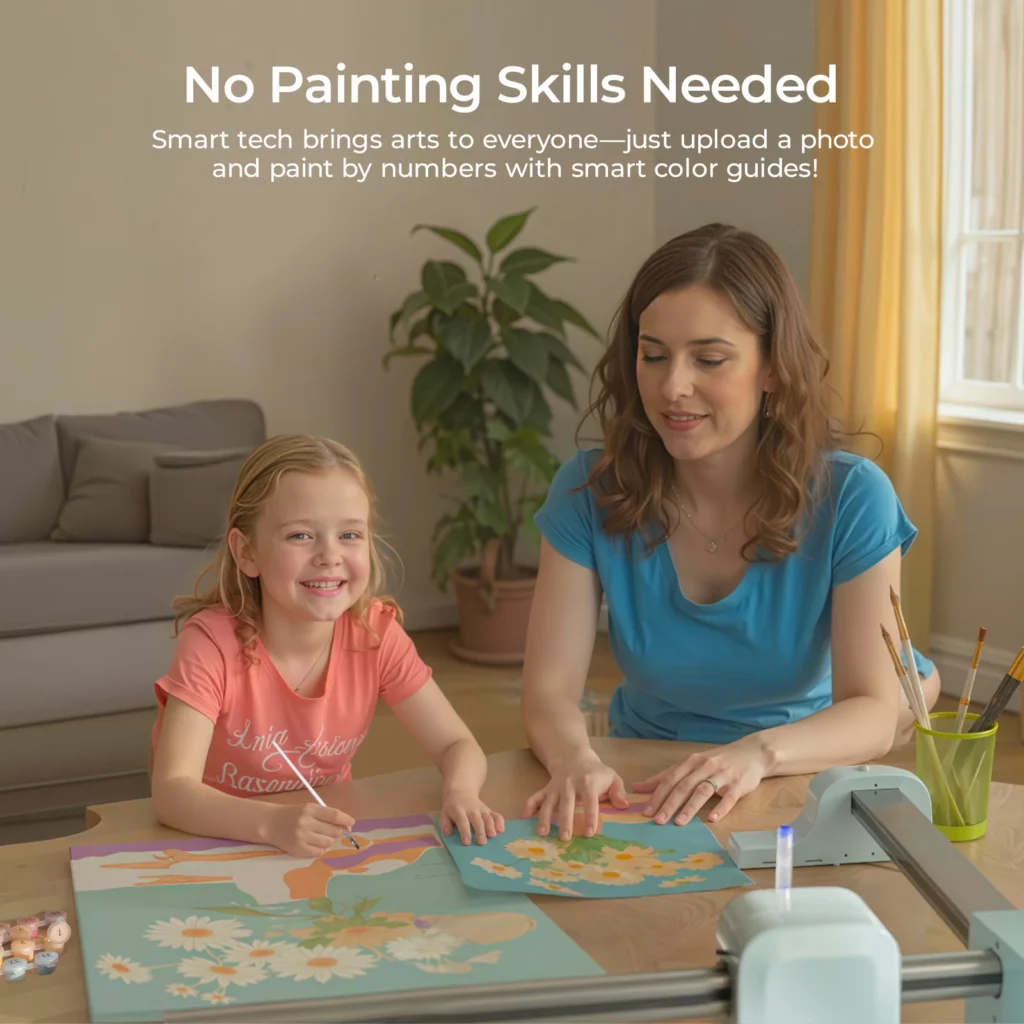
Photo: HTVRONT
Real-World Performance: What Users Actually Report
Across multiple independent hands-on reviews from tech and craft-focused publications, plus community forum threads and app store comments, a few clear patterns emerge on both sides of the ledger.
What Works Well
The heat-erasable pen is the most consistently praised feature across every source reviewed. Once your painting is complete, a gentle pass with a hairdryer removes the outline lines entirely, leaving only your painted colors behind – no visible guidelines, no residue, no bleed-through. For anyone who’s used traditional printed paint-by-numbers kits and found the black outlines distracting under thin paint layers, this is a genuine and meaningful upgrade.
The AI conversion accuracy gets solid marks for clear, high-contrast source images. Bold shapes, simple landscapes, and portraits with good lighting translate well into numbered outlines. Material versatility is also a consistent strength – the machine works on canvases, canvas panels, stretched canvas, watercolor paper, printer paper, thin wooden panels up to 16mm thick, and embroidery fabric cotton. Several reviewers discovered legitimate uses beyond canvas painting: embroidery transfer guides, wood art outlines, and custom greeting card designs all feature in real user experiences.
Family use comes up repeatedly as a genuine strength. The combination of automated sketching and hands-on painting makes the iPaint accessible across age groups without needing artistic supervision. One reviewer described using it with three young nieces across different project types – canvas painting, wood panel transfer, and embroidery fabric – with all four completing projects successfully on their first session. That’s a meaningful data point for anyone eyeing this as a family activity tool.
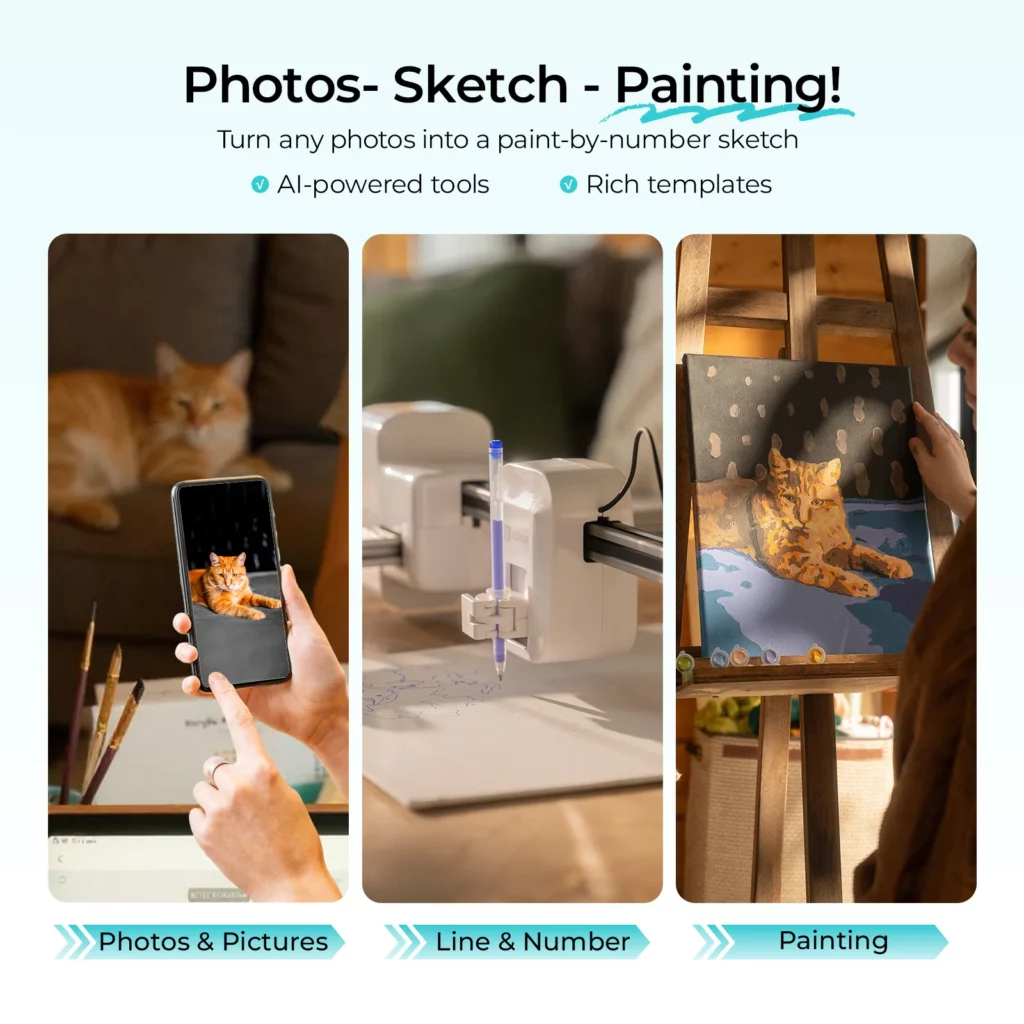
Photo: HTVRONT
The Recurring Frustrations
Number legibility on complex images is the most widely reported practical problem. Because the software scales numbers to fit within each color zone, small sections of a detailed image end up with numbers too tiny to read comfortably. This complaint appears consistently across community forum posts, app store reviews, and independent hands-on write-ups. The Gadgeteer’s reviewer specifically mentioned struggling to identify numbers on a photo-based portrait. Choosing simpler source images with larger, bolder color blocks mitigates this significantly – but it’s a genuine limitation for detailed or fine-featured work.
Material alignment is manual and imprecise. There’s no fixed reference point built into the machine to register your canvas against – alignment is entirely the user’s responsibility. Any bump or shift mid-draw can throw off placement, and this becomes more consequential the larger the canvas. The standard workaround is taping materials down firmly before starting and running the machine’s preview function to check positioning, but a physical registration guide would be a meaningful hardware improvement in a future revision.
Ink consumption on larger detailed projects is another note that surfaces in hands-on use – drawing a complex A3-sized scene chews through pen ink faster than you might expect. Keeping spare pens on hand is wise if you plan to work at larger scales regularly.
Pricing and Value
The iPaint launched on Kickstarter at $199 for early backers and $299 at retail. The current HTVRONT website pricing is more aggressive, with promotional bundle deals bringing the standard kit – machine, two canvases, and the 48-color acrylic paint set – down substantially. Pricing shifts with promotions, so the current number on the product page is worth checking directly.
The value math depends almost entirely on how you use it. If you’re buying it as a dedicated tool for regular paint-by-numbers sessions – weekend crafting, family projects, personalized gifts – the per-project cost becomes very reasonable once you own the machine. If you’re hoping it’ll replace a general-purpose plotter or serve the full range of what a Cricut handles, you’ll hit its ceiling quickly. The machine reportedly functions as a basic vinyl cutter with a blade swap, but that’s a bonus edge case rather than a core selling point.
For context on design credibility: the iPaint has won the Asia Design Prize, an Italian A’Design Award, and honors from the International Design Awards – not the typical resume of a throwaway gadget. Whether those accolades translate into long-term build quality and software support remains to be seen, but they do suggest the product was taken seriously at the development stage.
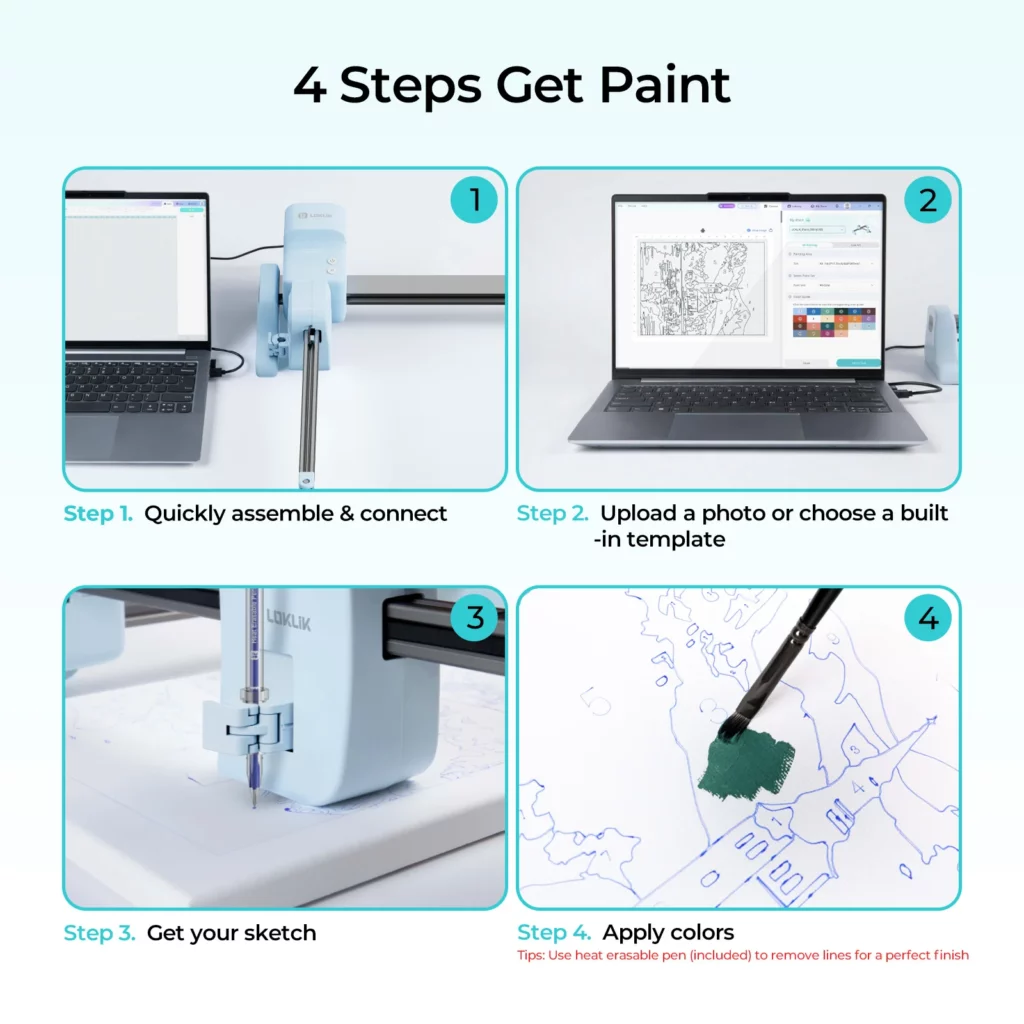
Photo: HTVRONT
Who Should Buy the LOKLiK iPaint AI Painting Machine
This machine is well-suited to a specific type of buyer, and being clear about that specificity is more useful than trying to make it sound universal. If you genuinely enjoy painting but find the blank canvas or the sketching phase daunting, the iPaint removes that barrier entirely and lets you focus on the part you actually like. That’s a real problem it solves, and it solves it well for most users.
Crafters who already work across multiple mediums will find legitimate use cases beyond standard canvas painting. Embroidery enthusiasts in particular have flagged the heat-erasable pen workflow as a clean, accurate alternative to freehand transfer. People making personalized gifts – custom painted portraits, painted wood signs, painted cards – have a tool here that meaningfully expands what’s achievable without formal art training.
Who Should Look Elsewhere
Experienced or serious artists will likely find the iPaint underwhelming as a studio tool. It’s purpose-built for the paint-by-numbers workflow, and that focus means it won’t replace more versatile equipment. The maximum drawing area of 16.5 x 11.7 inches also rules out large-format work entirely.
If you need precision and repeatability from day one, the manual alignment system and early-stage software issues will frustrate you. Buyers accustomed to the plug-and-play reliability of mature crafting hardware like Cricut should calibrate expectations accordingly. And if your primary goal is highly detailed portrait or photorealistic work, the small-number legibility problem is a genuine obstacle without a current software solution.
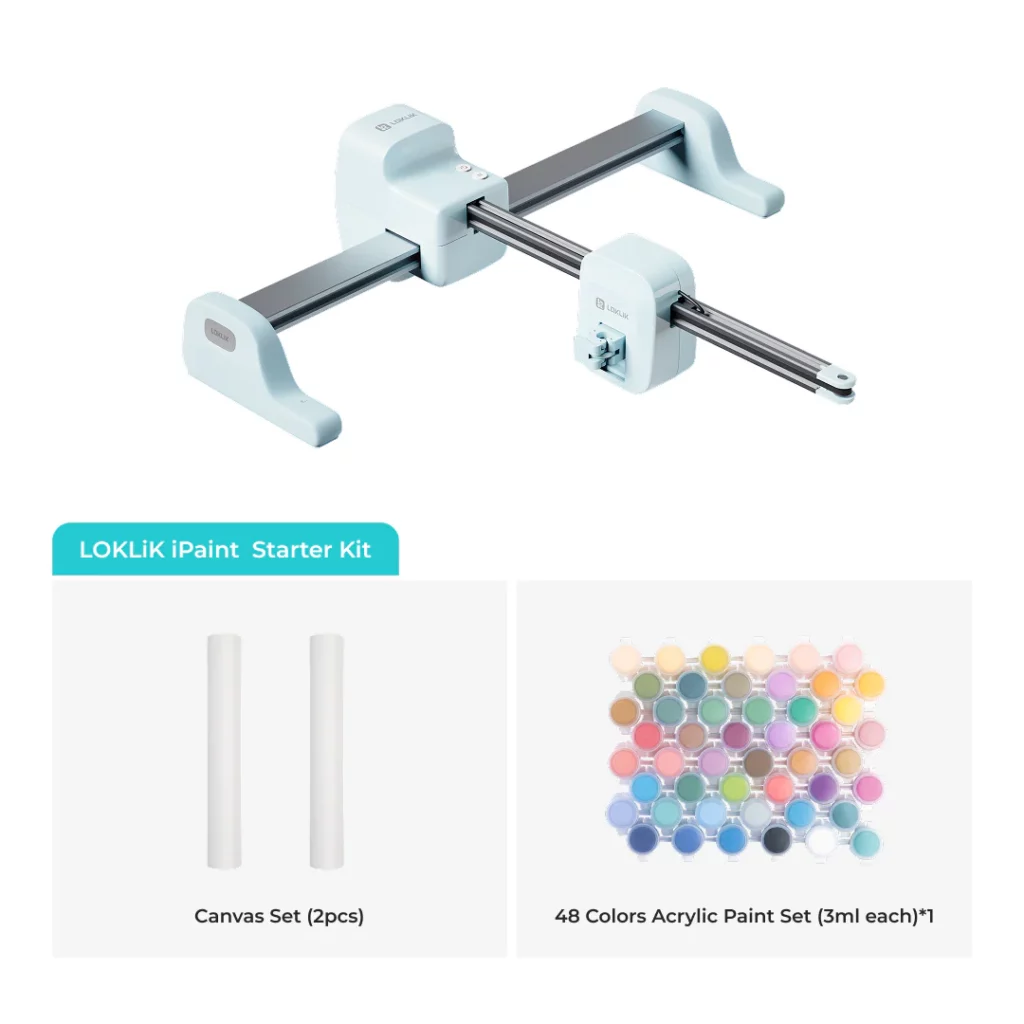
Photo: HTVRONT
Bottom Line
The HTVRONT LOKLiK iPaint AI painting machine does something genuinely useful: it makes the pleasurable, meditative act of painting accessible to people who previously felt locked out by the skill gap in drawing. The heat-erasable pen workflow is legitimately clever, the software gets most users from photo to canvas without needing a manual, and the material versatility opens up more creative applications than a traditional paint-by-numbers kit could ever offer. These aren’t marketing claims – they’re consistent findings from multiple independent reviewers who tested the product on their own terms.
What it isn’t yet is a precision tool for demanding work or a polished, frictionless experience for every project type. The software has real growing pains, the alignment system needs a physical reference point, and number legibility on complex images remains an unsolved problem for users pushing the machine toward its edges. HTVRONT appears to be actively iterating based on community feedback, which gives those issues a reasonable chance of improving over time. As first-generation products go, this one has genuine substance behind the concept – just buy it knowing what it is right now, not what it might eventually become.
What would make you feel confident enough to pull the trigger on a creative gadget like this – and is “promising with updates likely” enough for you, or do you need polish from the start?
FAQ
What does the HTVRONT LOKLiK iPaint AI painting machine actually do?
It uses a motorized pen arm to physically draw numbered outlines derived from any photo or template onto canvas, paper, wood, or fabric. You then fill in each numbered section with the matching paint color from the included set. The machine handles the sketching entirely; you handle the painting.
Is the LOKLiK iPaint compatible with Mac and Windows?
Yes. The free IdeaStudio software supports Windows 10 or later, macOS 11 or later including Intel and Apple M1/M2 chips, Android 9 or later, and iOS 11 or later. Chromebook compatibility has been requested by users in the community forum but is not currently supported.
How long does it take to draw a paint-by-numbers outline?
It depends on image complexity and canvas size. Simple designs on smaller canvases can complete in under 10 minutes, while a detailed A3-sized scene may take around 45 minutes to an hour. The app displays a progress bar so you can track completion time while you prep your paints or set up your workspace.
Do the pen lines show through the paint when you’re done?
Not if you use the included heat-erasable pen. Once painting is complete, a gentle pass with a hairdryer removes the guidelines entirely, leaving a clean finished result with no visible outline residue. The gel pen creates permanent lines, so it’s best reserved for projects where you want the outlines to remain visible as part of the finished look.
What surfaces can the iPaint draw on?
Compatible materials include canvases, canvas panels, stretched canvas, watercolor paper, printer paper, thin wooden boards, and embroidery fabric cotton, as long as the material’s thickness stays under 16mm. Users have also reported success with tattoo transfer paper and cardstock for custom greeting card projects.
What’s the biggest real-world problem users run into?
Two issues come up most consistently across reviews and forum posts. First, number legibility on detailed or complex images – small color zones produce numbers that are genuinely too small to read comfortably, and there’s no current way to force them larger. Second, manual material alignment – there’s no fixed registration point on the machine, so users have to position and secure their canvas themselves, which leaves room for error on larger projects.
Is the 48-color or 5-color paint kit better?
The 48-color kit is the clear choice. The IdeaStudio software’s color-matching system is calibrated specifically to that palette, which means each numbered zone is automatically assigned to the correct paint pot. The 5-color option requires manual color mixing to hit the right shades, which significantly undercuts the convenience the machine is designed to deliver.
Can the iPaint be used for crafts beyond paint-by-numbers?
Yes, and this is an underrated part of the product’s value. Multiple reviewers have used it to transfer designs onto embroidery fabric, produce wood art outlines on thin panels, create cross-stitch guides, and draw custom greeting card designs. The machine also reportedly functions as a basic vinyl cutter with a blade attachment swap, though that’s a secondary capability rather than a primary use case.
How does the iPaint compare to using a Cricut with a pen attachment?
The core difference is material capacity. The iPaint draws on surfaces up to 16mm thick – including stretched canvas, wood panels, and embroidery hoops – which a standard Cricut mat can’t accommodate. The iPaint is also considerably simpler to set up specifically for paint-by-numbers work. The trade-off is that Cricut is a far more versatile all-purpose crafting machine, while the iPaint is purpose-built for one specific workflow.
Where can I buy the iPaint and what does it currently cost?
It’s available directly through the HTVRONT website. Pricing varies by promotion – bundle deals have brought the standard kit down significantly from the $299 retail price, and promotional offers rotate regularly. The Kickstarter early bird window has closed. Check the product page directly for the current price before purchasing.