
Plaud Note Pro
$189.00
PLAUD Note Pro Review: Thinner Than a Credit Card, Smarter Than Your Notes App
TLDR
One-sentence verdict: The PLAUD Note Pro is a genuinely impressive AI voice recorder that earns its keep for meeting-heavy professionals – but the subscription math deserves a hard look before you buy.
- What it is: A credit-card-thin hardware recorder with built-in AI transcription and summarization, priced at $189
- Who it’s for: Professionals juggling phone calls, in-person meetings, and heavy note-taking workloads
- Top strengths: Exceptional battery life (30 hours continuous), four-microphone array with 16.4-foot range, smart auto mode-switching, AMOLED display
- Biggest limitation: Free tier covers only 300 transcription minutes/month – heavy users must pay $8.33-$19.99/month on top of the hardware cost
- Quick verdict: Worth it if you’re in multiple meetings a week; overkill if most of your calls happen on Zoom
Introduction
You’ve just left a two-hour meeting. Three decisions were made, two deadlines were set, and someone said something about the Q3 budget that you know will matter in six weeks. You have a few fragmented notes on a notepad and the creeping dread that you missed something important.
That’s the exact problem the PLAUD Note Pro is designed to solve – and the reason AI voice recorders have gone from niche curiosity to legitimate productivity gear in the past two years. The situation is real: conventional note-taking is slow, inconsistent, and increasingly inadequate for the pace of modern professional life. Phone-based apps help, but they can’t capture the other side of a phone call, drain your battery, and produce transcripts that require almost as much cleanup as writing notes by hand. PLAUD’s pitch is a dedicated piece of hardware thin enough to forget you’re carrying it, smart enough to do the heavy lifting after every conversation. Whether that pitch holds up in the real world – across noisy conference rooms, solo commutes, and multi-speaker chaos – is exactly what this review examines.

Photo: PLAUD
What the PLAUD Note Pro Actually Is
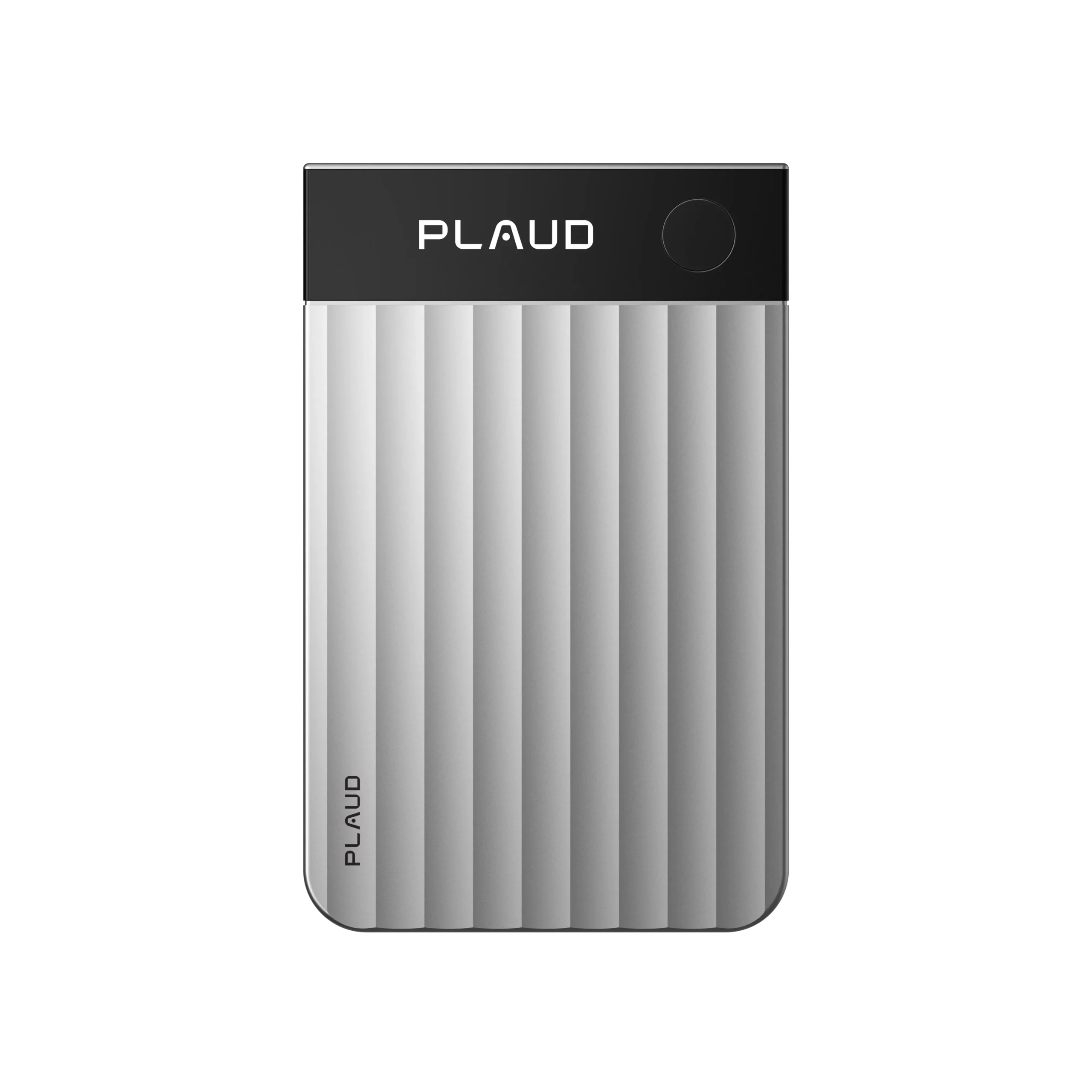
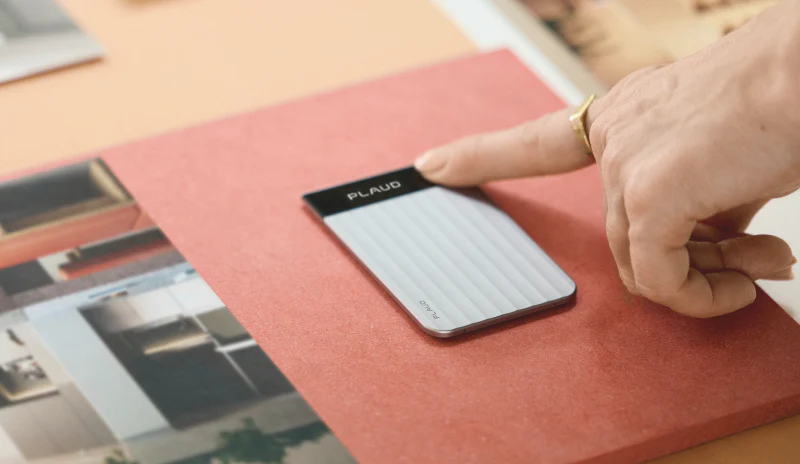
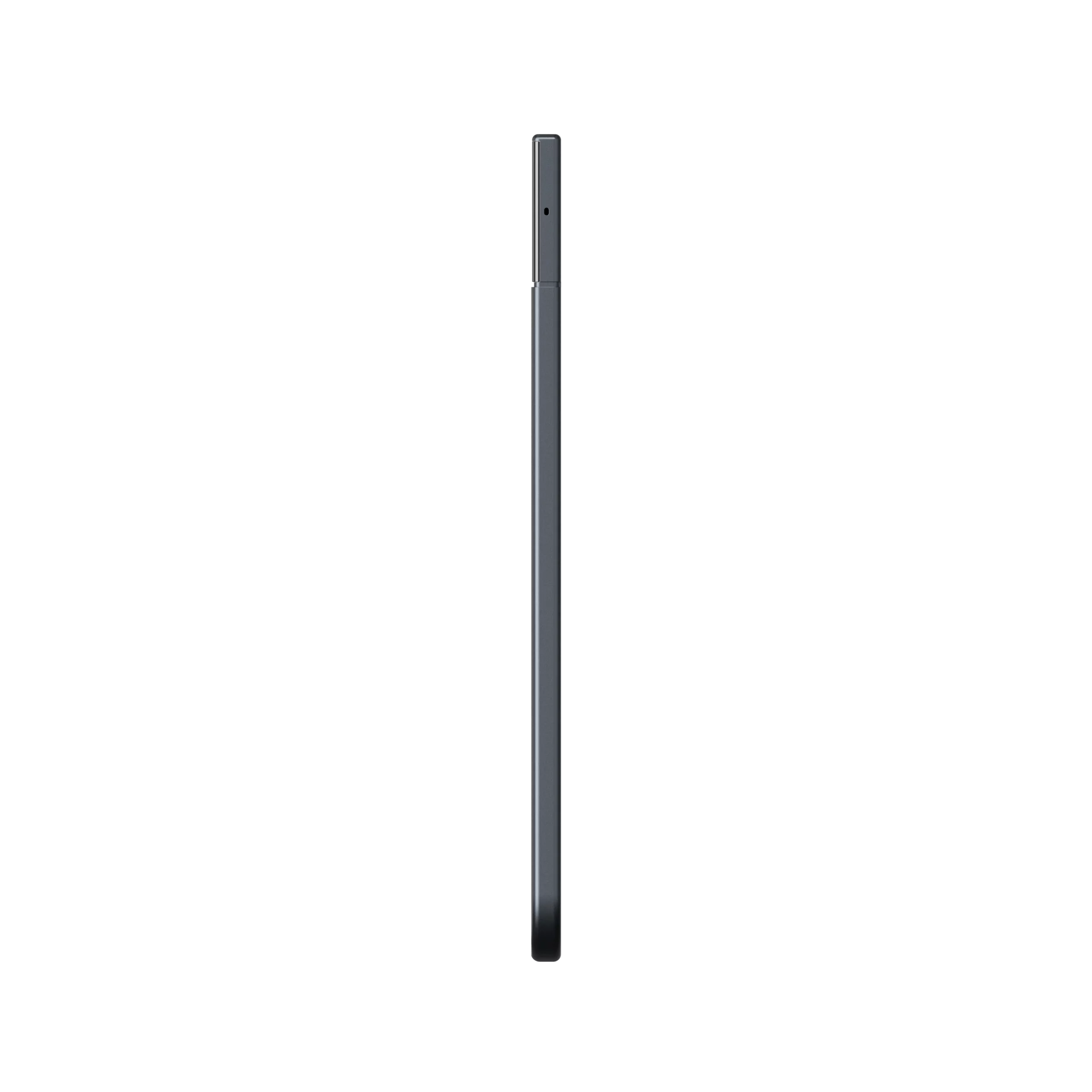
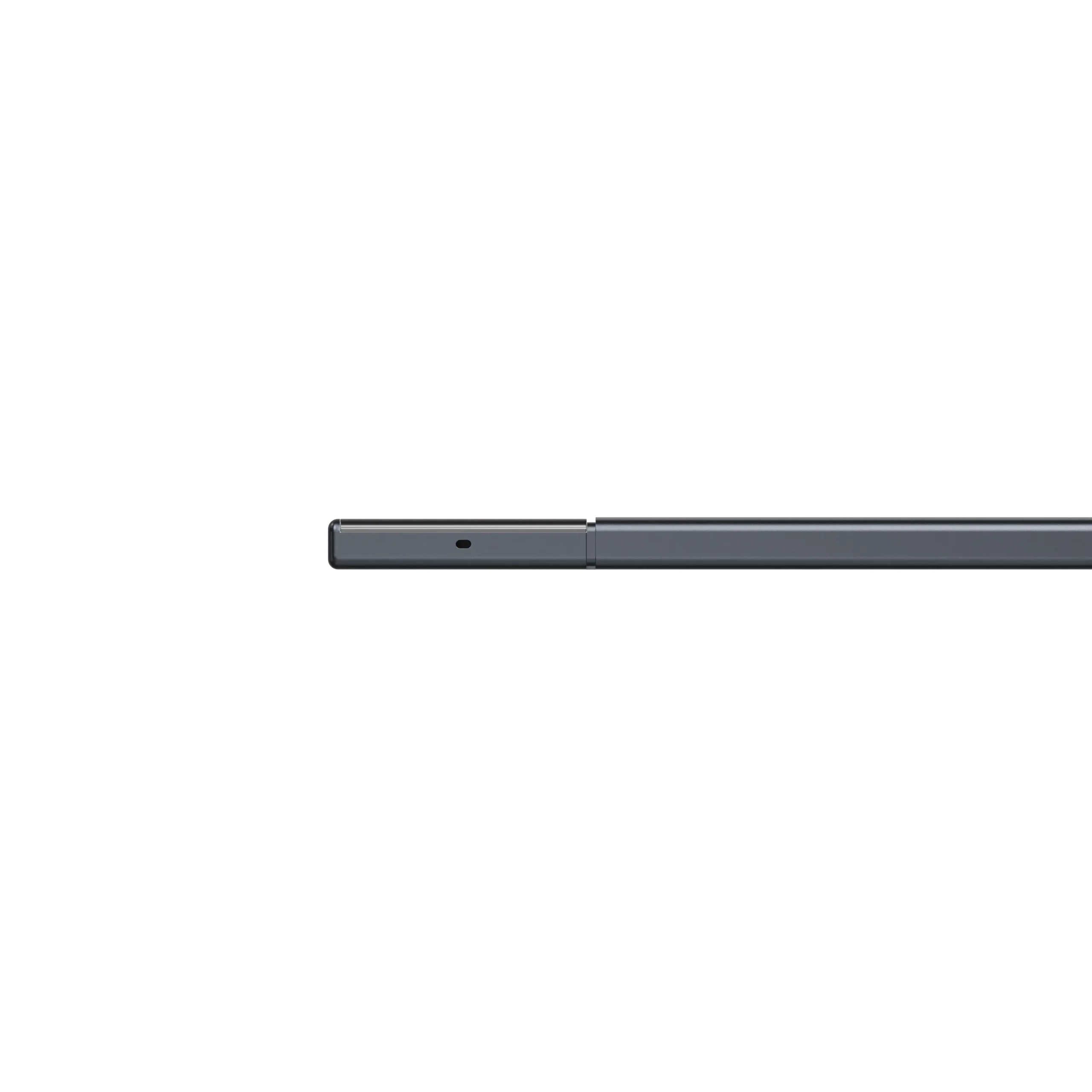
The PLAUD Note Pro is the flagship device in PLAUD’s AI recorder lineup, sitting above the standard Plaud Note and targeting professionals who need reliable capture across multiple recording contexts. At just 0.12 inches thin and weighing 1.06 ounces, it fits inside a wallet or attaches magnetically to a MagSafe-enabled iPhone – a form factor that reviewers across the board describe as genuinely premium, not just in photos. The body is aluminum with a textured finish, and the build quality holds up against the price tag in a way that budget recorders simply don’t.
The device houses four MEMS microphones positioned around the frame for omnidirectional pickup, plus a dedicated voice processing unit for noise suppression, voice isolation, and echo cancellation. Audio saves directly to 64GB of onboard storage – no internet connection required to record. Transcription and AI-powered summarization happen in the companion app after you sync, using what PLAUD calls Plaud Intelligence: a cloud-based AI pipeline supporting 112 languages, speaker labeling, custom vocabulary, and role-specific summary templates. The app is available on iOS, Android, and desktop.
Key Features and How They Actually Perform
The Microphone Array and Recording Range
This is where the PLAUD Note Pro meaningfully separates itself from the standard Note and from most software-only alternatives. The four-microphone array with AI-powered beamforming pushes the effective recording range to 16.4 feet – a significant jump from the standard model’s 9.8-foot reach. In real-world testing by multiple reviewers, conference room use and multi-person meetings within that range produced clean, usable audio. One reviewer recorded conference talks while seated well away from the stage and reported satisfactory transcription results.
That said, the outer edge of the claimed range does show limitations in practice. Testing at distances between twelve and fifteen feet revealed a noticeable drop in transcription accuracy, with some words requiring manual correction. The five-meter figure is real but shouldn’t be treated as a guarantee – it’s more of an outer boundary than a sweet spot. For typical seated meeting scenarios within ten feet, performance is reliably strong.
In noisy environments, the gap between the Note Pro and cheaper alternatives becomes genuinely meaningful. Background noise – laptop fans, HVAC hum, ambient chatter – shows up in recordings but doesn’t overwhelm the primary voice. The voice processing unit does real work here, and users across tech publications noted that audio quality held up in coffee shops and open offices better than they expected.
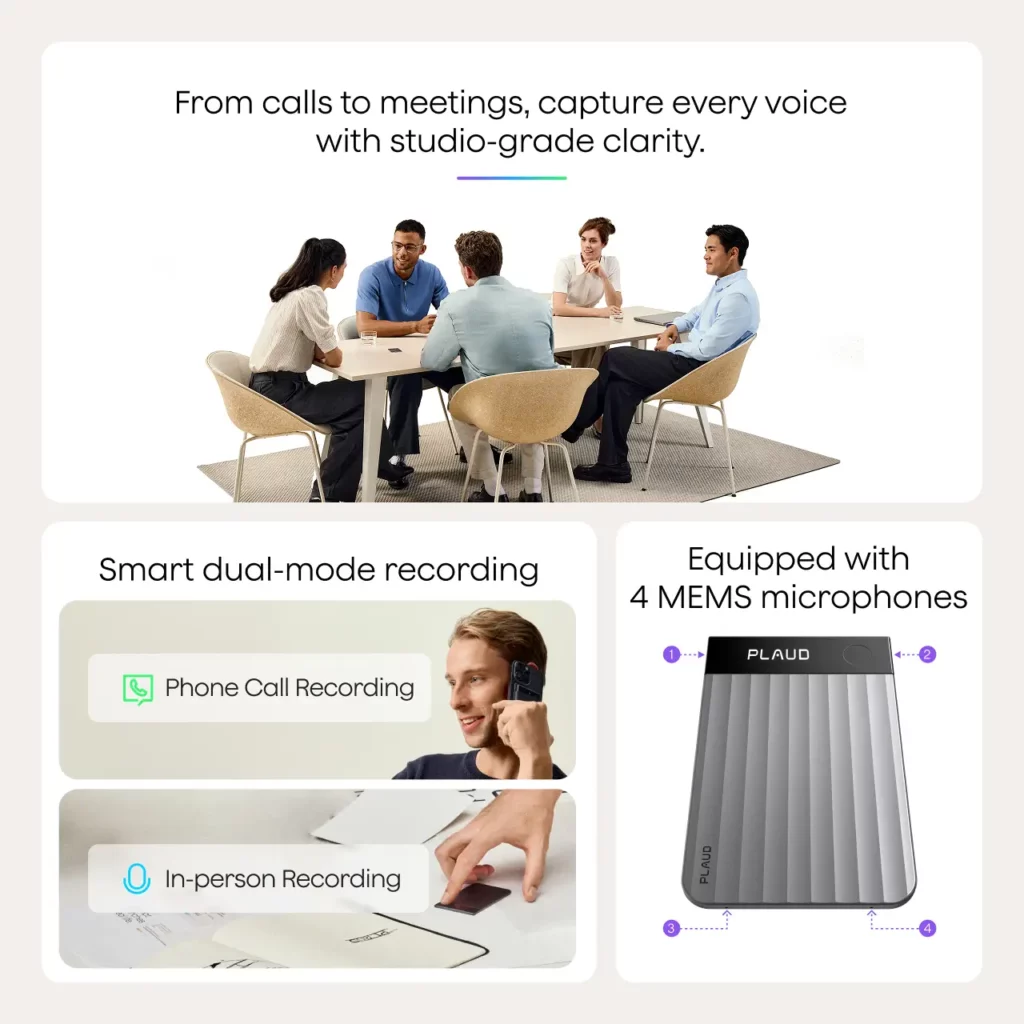
Photo: PLAUD
Smart Dual-Mode Recording
One of the standout upgrades over the standard Plaud Note is automatic mode switching between in-person and phone call recording. When the device is oriented vertically on the back of your phone, it switches to phone call mode; go horizontal and it returns to in-person recording. Reviewers who tested this transition found it genuinely seamless – incoming calls triggered the switch mid-recording without any manual input required.
This matters more than it sounds. The cognitive overhead of remembering to toggle a mode when a call comes in mid-task is exactly the kind of friction that turns useful tools into occasionally-used tools. PLAUD eliminating that step is a real quality-of-life improvement for anyone who moves between environments throughout a day.
One meaningful limitation: automatic mode switching doesn’t function when you’re using headphones or earbuds. That’s a notable carve-out for users who regularly take calls with AirPods or similar, and worth knowing before you buy.
Battery Life and Storage
Battery life is one of the PLAUD Note Pro’s most legitimately impressive specs – and unlike a lot of claimed specs, it holds up under real-world scrutiny. Multiple reviewers described using the device heavily across multi-day events, recording conference sessions, in-person interviews, and follow-up phone calls, and returning home with substantial charge remaining. One account had the device sitting at 55% battery after fifteen days of active use.
The rated 30 hours of continuous recording and 60-day standby are consistent with what users actually experience. Combined with 64GB of storage, this device can handle a heavy travel week without ever needing a charger or worrying about running out of space – a genuinely useful property for professionals who are frequently away from a desk.
The proprietary magnetic charging cable is the main friction point in an otherwise clean hardware story. Nearly every reviewer mentioned it, and not warmly. Lose the cable and you need to source a replacement – there’s no standard USB-C port to fall back on. PLAUD made this trade-off to preserve the ultra-thin form factor, and it’s a defensible engineering decision, but it’s one the company made for you. In 2025 and beyond, shipping a device without USB-C support reads as a deliberate choice that users find mildly aggravating regardless of the reason.
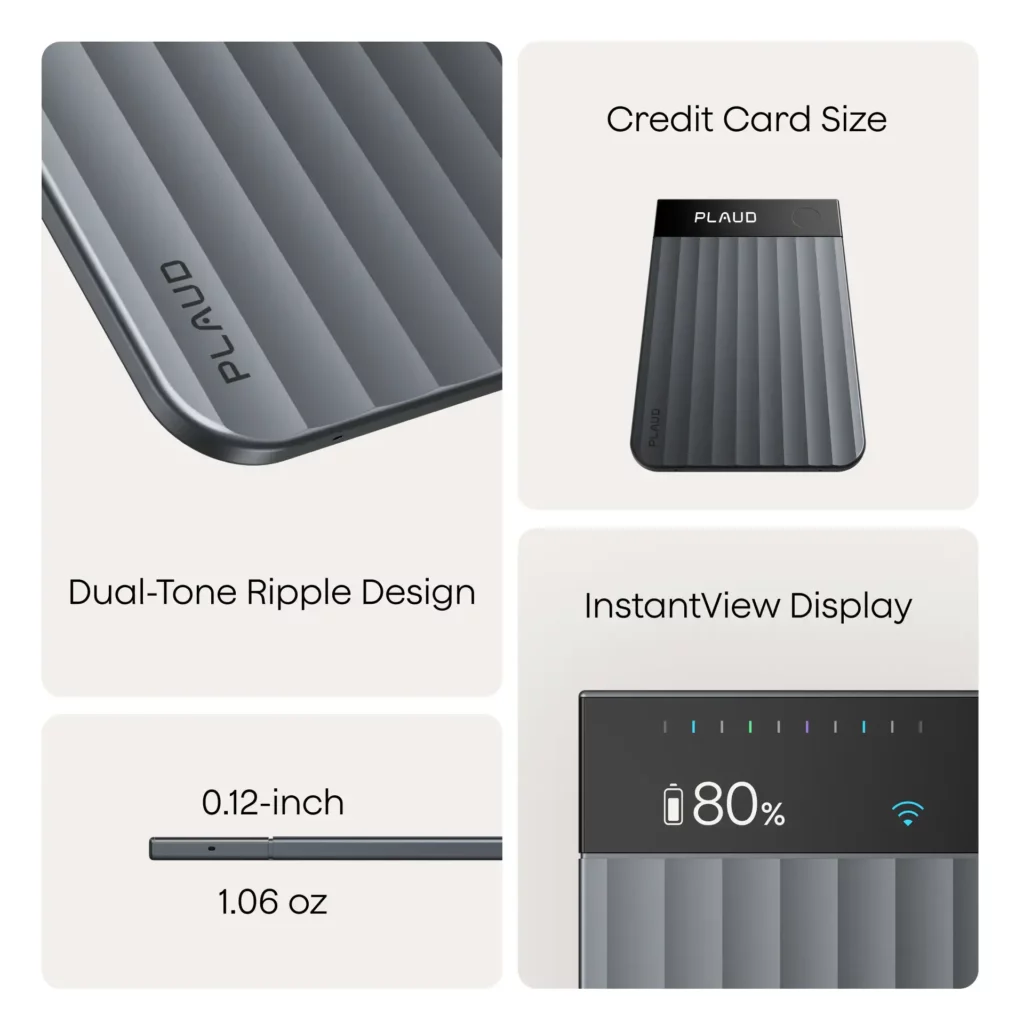
Photo: PLAUD
The AMOLED Display
The small status screen on the Note Pro is a more meaningful upgrade than it might seem on paper. The standard Plaud Note has no screen at all, which means the only way to confirm the device is recording is through a subtle LED indicator. The AMOLED display on the Pro shows battery level, recording status, and a waveform graphic when active – along with haptic feedback for start and stop events.
This serves two purposes. First, it eliminates the low-grade anxiety of wondering whether the device is actually capturing anything. Second, it makes it easier to signal to others in the room that a recording is happening – which matters both for social reasons and for legal ones. PLAUD’s own documentation recommends informing other parties before recording, which is legally required in many jurisdictions. A visible screen makes that easier to demonstrate than a blinking light.
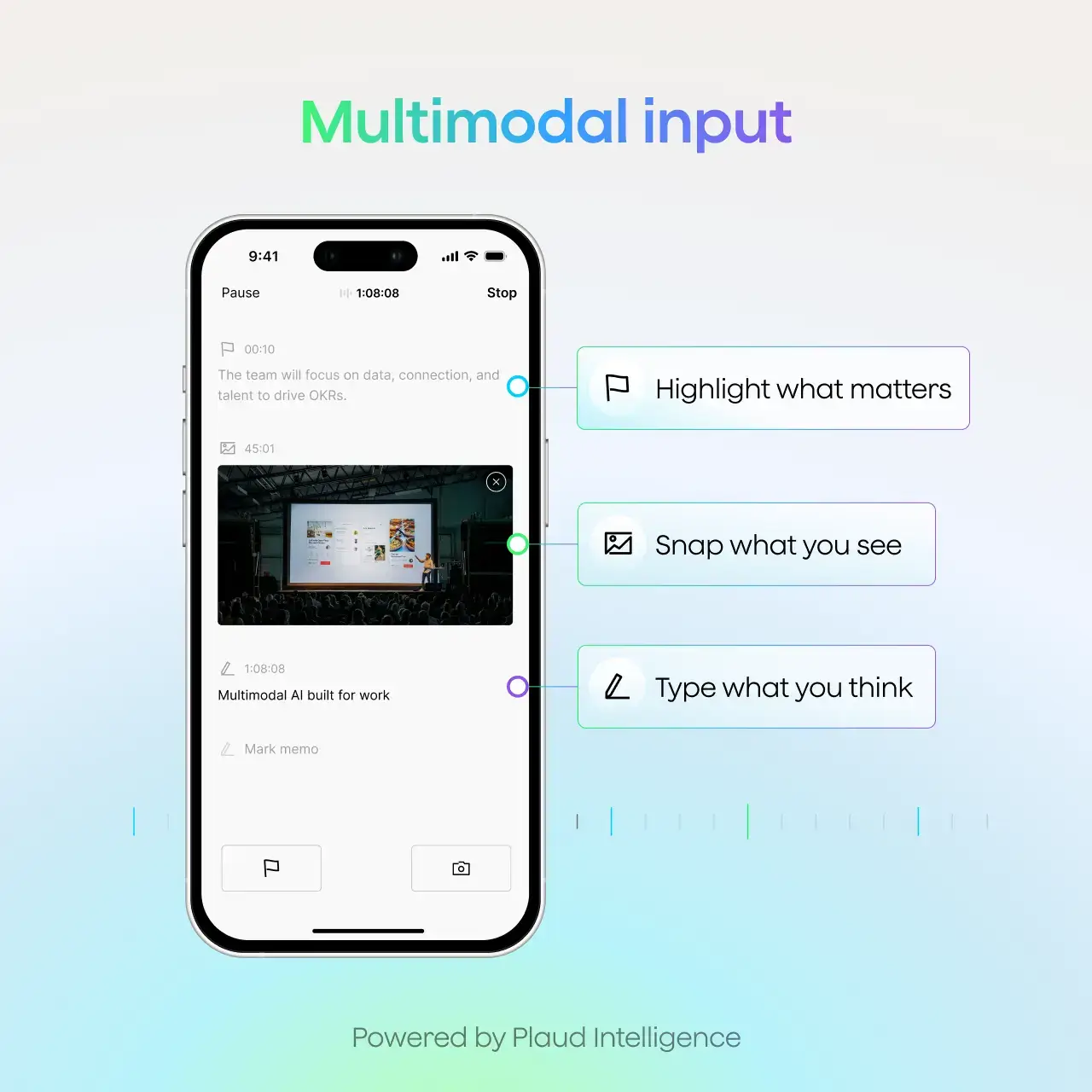
The display also supports the “Press to Highlight” feature, which lets you tap the button mid-recording to flag a moment as important. That flag shows up prominently in the AI summary afterward, which is a genuinely useful tool for long recordings where only a few moments actually matter.
AI Transcription and Summarization
Transcription accuracy is the core value proposition of the whole product, and under normal conditions it delivers well. Users across publications tested it with varying accents, at varying volumes, and in multiple languages including French and Spanish, with generally strong results. The voice processing unit earns its keep – even recordings with meaningful background noise produced readable, accurate transcripts in most cases.
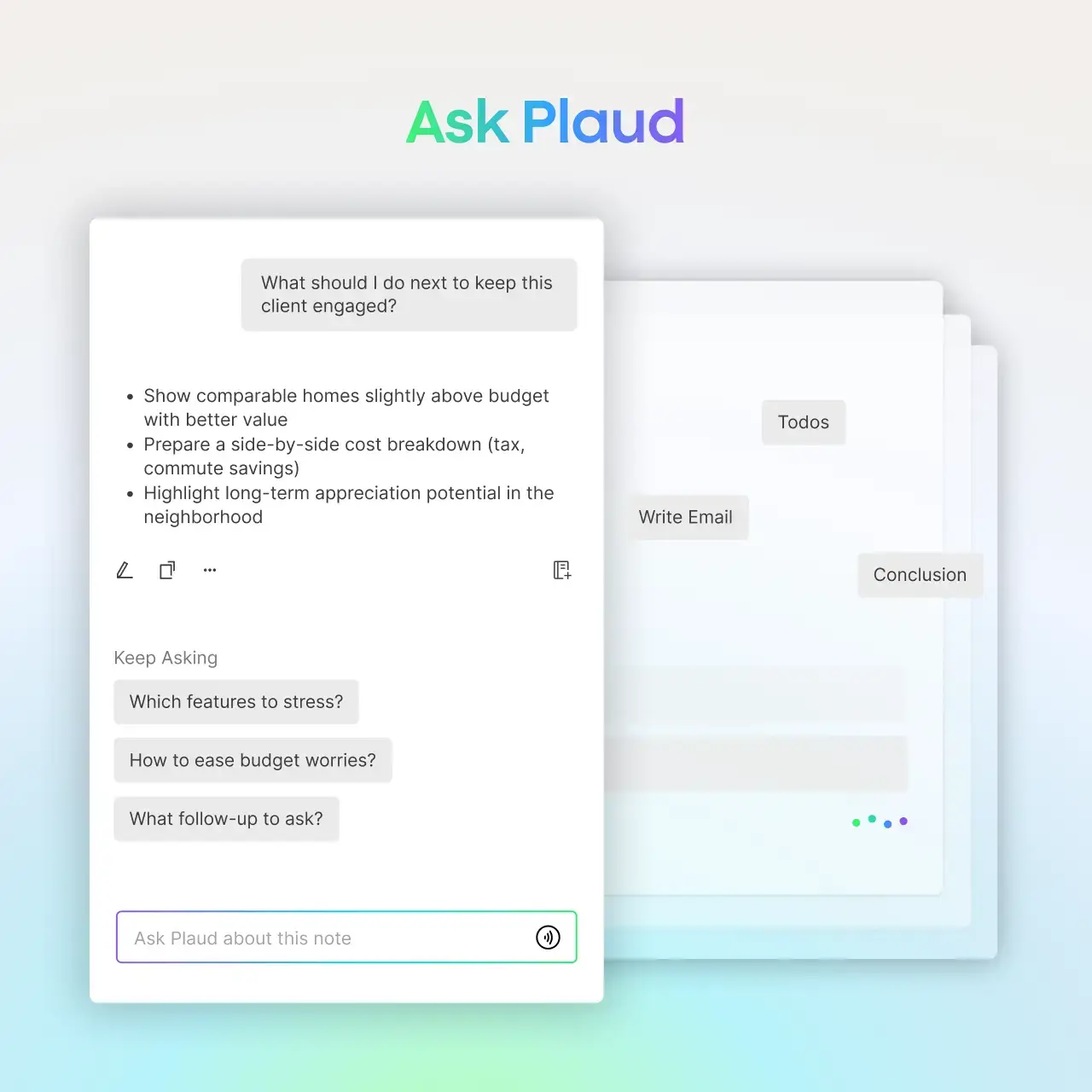
The Ask Plaud feature – which lets you query your recordings with natural language questions rather than reading through a full transcript – consistently draws praise from users who’ve moved past the novelty. The ability to ask “what deadlines were agreed on?” or “what did we decide about the contract?” and get a specific, sourced answer rather than scrubbing through an hour of audio is a genuine productivity gain. Multiple AI models power the backend, including current-generation options from major providers.
Multidimensional summaries are another legitimately useful feature. One recording can generate multiple summaries tailored to different roles – the sales summary, the project manager’s action item list, the executive briefing – using PLAUD’s library of over 10,000 professional templates. For professionals who share notes with people who need different things from the same meeting, this is a practical time-saver.
Where transcription stumbles is multi-speaker diarization in reverberant environments. Users discussing the device in forums and review aggregators note that accurately separating Speaker A from Speaker B in large, echoey rooms is a weakness across the category – and the PLAUD Note Pro isn’t exempt. For a two or three-person meeting, performance is solid. For an eight-person roundtable in a reflective conference room, expect some cleanup.
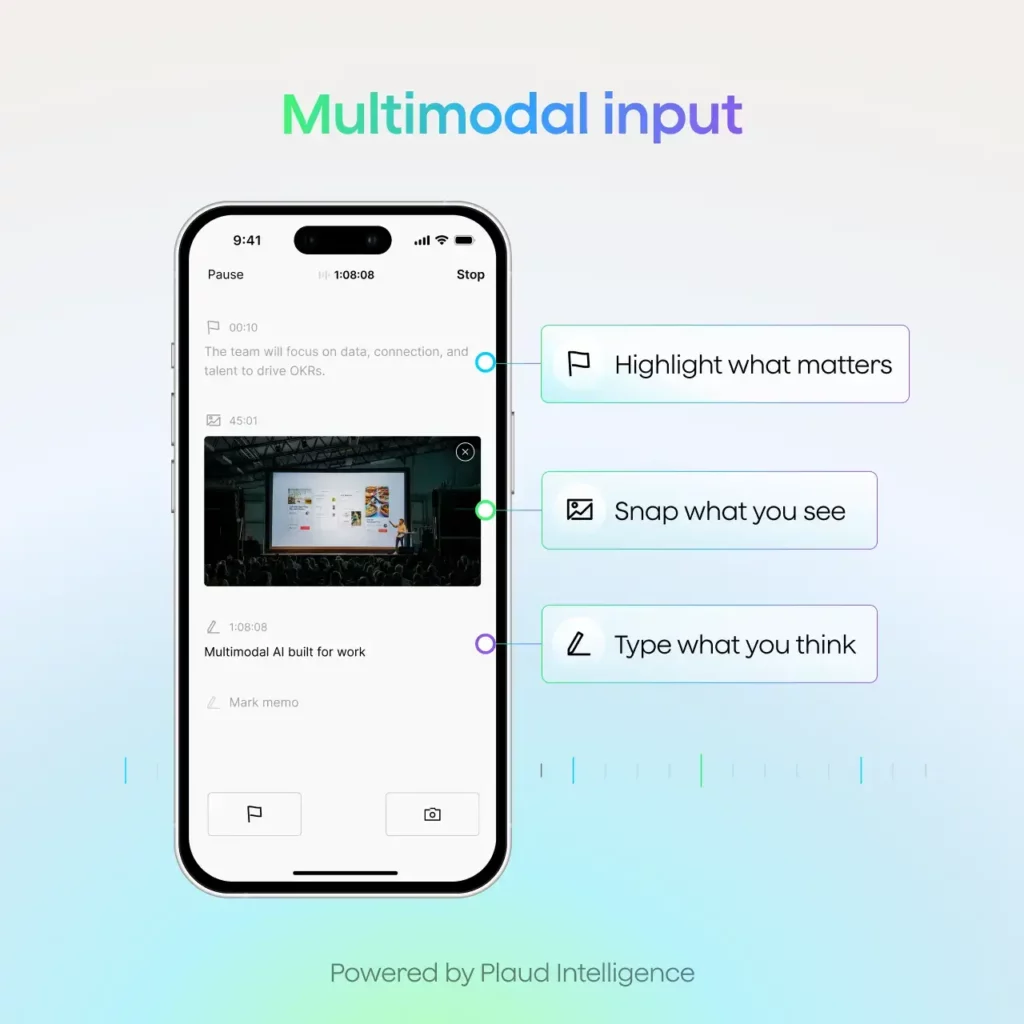
Photo: PLAUD
No Real-Time Transcription
This is worth stating plainly because it surprises buyers who don’t read carefully before purchasing. There is no live transcription on the PLAUD Note Pro. You record, you sync to the app, and then you see the transcript. Some competing products offer real-time words-on-screen as you record, and if that’s specifically what you want, this device isn’t it.
For most professional use cases – reviewing notes after the fact, not during a meeting – this isn’t a meaningful limitation. But it’s a known gap that shows up repeatedly in user discussions, and it’s honest to name it rather than bury it.
Pricing and the Subscription Reality
The hardware costs $189. That’s the entry price. What doesn’t lead the marketing is that the AI features have a recurring cost once you exhaust the free tier – and heavy users exhaust it quickly.
Every device includes a free Starter Plan covering 300 transcription minutes per month. Paid tiers are structured as follows: the Pro plan at $8.33 per month billed annually ($99.96/year) provides 1,200 transcription minutes monthly, and the Unlimited plan at $19.99 per month billed annually ($239.88/year) removes limits entirely. Monthly billing is available at higher per-month rates for those who prefer flexibility.
Three hundred minutes sounds generous until you run the numbers. A single one-hour meeting per day burns through the free tier in about a week. For professionals with multiple daily client calls or back-to-back meetings, the free tier isn’t a viable long-term arrangement – it’s a trial period. The jump to a paid plan is reasonable in isolation, but it reframes the total cost of ownership meaningfully. A heavy user over two years is looking at roughly $189 in hardware plus around $200 in subscription costs – closer to $400 all in.
That’s still competitive with what business-grade software alternatives charge for similar transcription volume. But the framing of “$189 device” without immediate visibility into the subscription requirement catches people off guard, and that frustration shows up consistently in user reviews and forum discussions. Go in knowing this.
One important clarification: the hardware records and stores audio without any subscription at all. If you want to capture locally and export to a different transcription service you already pay for – Otter.ai, for instance – you can absolutely do that. The microphone is not behind a paywall. The AI layer is.
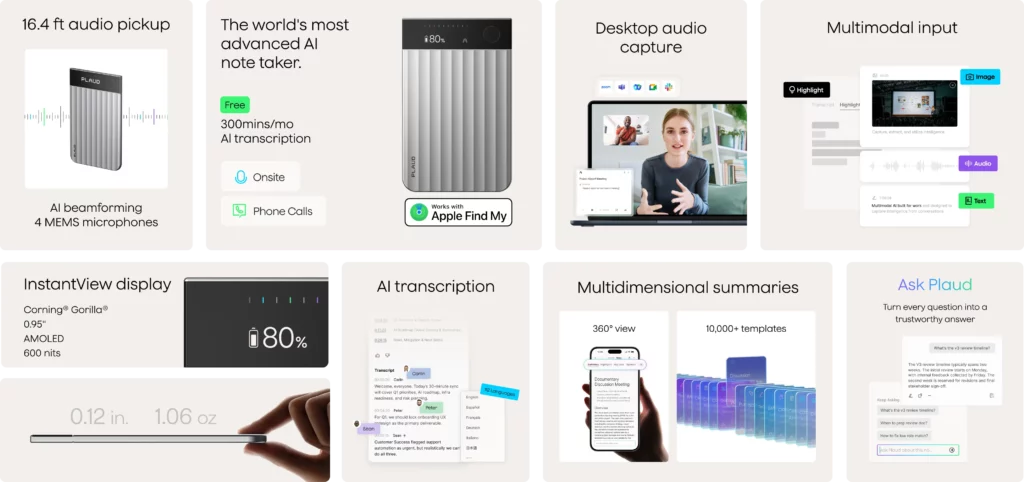
Photo: PLAUD
Who Should Buy the PLAUD Note Pro
The profile of the user who gets genuine value from this device is fairly specific, and the reviews bear this out.
Sales professionals who take client calls while commuting or traveling appear repeatedly in positive testimonials – the device’s ability to capture both sides of a phone call, without requiring hands-free setup or phone screen interaction, is a real differentiator. Consultants who move between client offices and conference rooms throughout a day benefit from the automatic mode switching and all-day battery. Journalists and researchers conducting in-person interviews get clean, searchable audio without managing a separate recorder or draining a phone battery.
Healthcare providers documenting patient consultations are another genuine fit – PLAUD holds HIPAA compliance certification, and structured templates can match AI summaries to clinical documentation formats. The device doesn’t replace clinical judgment, but it removes a real administrative burden from end-of-day charting.
Students, particularly those in demanding programs with long lectures, also show up frequently in positive accounts. A two-hour lecture produces a searchable, queryable transcript – jumping to a specific concept is far faster than scrubbing raw audio. The battery and storage capacity mean a full semester of heavy recording doesn’t require constant management.
The common thread across all these use cases: the user records frequently, in person or by phone, and spends meaningful time afterward on notes, summaries, or documentation. That’s who the PLAUD Note Pro pays for itself with.
Who Should Look Elsewhere
If your meeting life is primarily Zoom, Google Meet, or Microsoft Teams, you probably don’t need this hardware. Software-based tools integrate directly with those platforms, offer live transcription, and in many cases provide collaborative features – shared notes, team annotation, searchable meeting history – that the PLAUD Note Pro doesn’t. The device’s output lives in your personal account. It’s a personal productivity tool, not a team knowledge infrastructure.
Users who need tight team collaboration around meeting notes will find the workflow limiting. PLAUD has introduced a Teams product, but the hardware is fundamentally individual-focused, and reviewers note that sharing outputs requires manual effort compared to platforms built for team use from the ground up.
If budget is a real constraint, the standard Plaud Note at $159 shares the same AI platform, the same app, and the same transcription quality. The differences – two fewer microphones, shorter recording range, no auto mode switching, no display – matter in some use cases and not at all in others. For a solo user primarily recording one-on-one conversations in a quiet environment, the standard model is a perfectly reasonable choice, especially when found at a discount.
Privacy-first users who want local AI processing with no cloud dependency should also look elsewhere. All AI transcription and summarization runs through cloud infrastructure. PLAUD holds ISO 27001, SOC 2, GDPR, and HIPAA certifications, and recordings are encrypted in transit and at rest – but the audio does leave the device. For users with strict data sovereignty requirements or working in sensitive regulated environments, that’s worth reviewing carefully before committing.
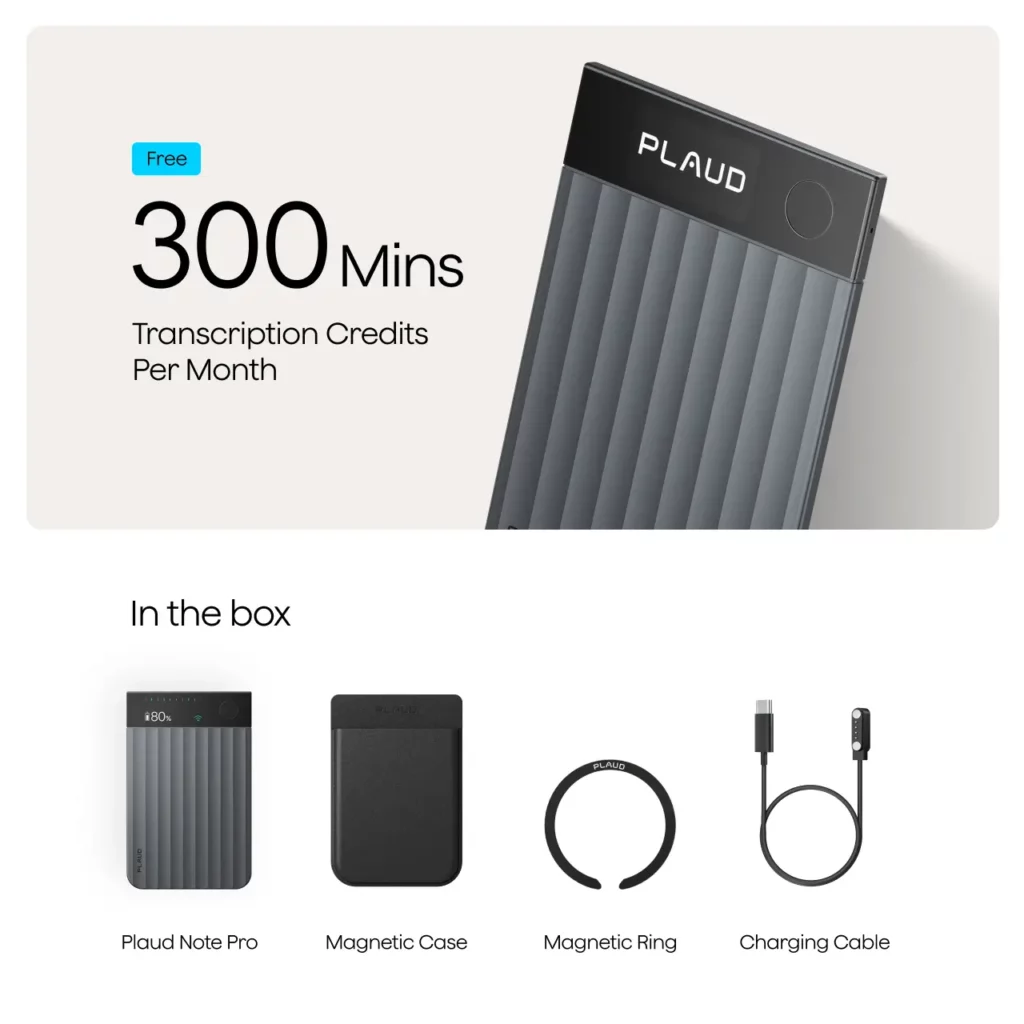
Photo: PLAUD
Bottom Line
The PLAUD Note Pro is a well-executed device that solves a real problem for a well-defined type of professional. The four-microphone array performs genuinely well in typical meeting environments, the smart mode switching removes meaningful friction from a multi-context recording day, and the battery life is impressive enough that it genuinely drops off the mental checklist of things to manage. The Ask Plaud AI query feature is one of the rare AI additions that turns out to be practically useful rather than just demo-impressive.
The friction points are real but navigable: the proprietary charger is a minor but persistent annoyance, the free subscription tier runs dry fast for anyone using the device seriously, real-time transcription is absent, and multi-speaker separation in challenging acoustic environments requires some manual correction. None of these are dealbreakers for the right user – but collectively they define a product that rewards people who match the use case and frustrates people who don’t.
At $189 plus likely subscription costs, this isn’t an impulse buy. It’s a productivity tool that pays off when your work genuinely involves frequent in-person recording, phone call capture, or heavy post-meeting documentation. If that’s your day, there’s very little else on the market that does it better right now.
What would make you comfortable paying an ongoing subscription for a piece of hardware you already purchased outright – and where do you personally draw the line?
FAQ
Is the PLAUD Note Pro worth buying in 2026?
For professionals who regularly attend in-person meetings, take client calls outside the office, or spend significant time on post-meeting documentation, yes – the hardware and AI platform deliver real time savings. The value proposition weakens if your meeting life is primarily virtual or your recording needs are occasional, in which case software-only alternatives are often more practical and cheaper.
What’s the difference between the PLAUD Note Pro and the standard PLAUD Note?
The Pro model adds an AMOLED display, a larger 500mAh battery supporting up to 30 hours of continuous recording, automatic dual-mode switching between phone call and in-person recording, Bluetooth 5.4, and four MEMS microphones with a 16.4-foot pickup range. The standard Note uses two microphones with a shorter 9.8-foot range, requires manual mode switching, and has no display. Both devices run on the same AI platform with identical transcription capabilities.
How accurate is PLAUD Note Pro transcription?
Accuracy is strong in standard conditions – small group meetings, one-on-one conversations, solo dictation, and varied accents across supported languages. Performance dips in large, reverberant rooms with multiple overlapping speakers, where separating individual voices accurately is a known limitation of the hardware category. For most professional recording scenarios, transcripts are usable with minimal correction required.
Does the PLAUD Note Pro require a subscription to use?
The hardware records and stores audio entirely without a subscription. AI transcription and summarization require a plan: the free Starter Plan includes 300 transcription minutes monthly, the Pro plan adds 1,200 minutes per month at $8.33/month billed annually, and the Unlimited plan removes all limits at $19.99/month billed annually. Heavy users will exceed the free tier within a week or two of regular use.
Can the PLAUD Note Pro record phone calls?
Yes – and this is one of its clearest advantages over phone-based recording apps, which typically only capture your side of a call. When the device is magnetically attached to your phone and oriented vertically, it captures both parties clearly. This feature does not work when using headphones or earbuds, which is a notable limitation for users who habitually take calls with earbuds in.
How does the PLAUD Note Pro compare to software alternatives like Otter.ai?
They’re solving related but distinct problems. Otter.ai and similar tools excel at live transcription during virtual meetings and offer strong collaborative team features. The PLAUD Note Pro excels at capturing in-person conversations and phone calls with dedicated hardware that doesn’t drain your phone battery. If your work is primarily virtual meetings with a team, software is likely sufficient. If it’s in-person or phone-based, dedicated hardware provides meaningfully better audio capture.
What do real users complain about most?
The most recurring frustrations across reviews and user discussions: the proprietary magnetic charger with no USB-C fallback, the 300-minute free tier running out faster than expected, the absence of real-time transcription, the requirement to sync to the app before viewing any transcript, and speaker identification weaknesses in noisy multi-speaker environments.
Is the PLAUD Note Pro data secure?
PLAUD holds ISO 27001, ISO 27701, SOC 2, GDPR, HIPAA, and EN 18031 certifications. Recordings are encrypted in transit and at rest. All AI transcription and summarization runs through cloud-based infrastructure, meaning audio leaves the device for processing. Users with strict data sovereignty requirements or those handling highly sensitive regulated data should review PLAUD’s privacy documentation carefully before purchasing.
What is the battery life actually like in real-world use?
Better than most competing devices, and consistent with PLAUD’s rated specs. Users who recorded heavily across multi-day conferences – interviews, talks, phone calls combined – reported the device still carrying over 50% charge after two weeks of active use. The rated 30 hours of continuous recording and 60-day standby are not marketing exaggeration; they hold up in practice.
Can I use the PLAUD Note Pro without the companion app?
For recording: yes. The device captures and stores audio independently with no app or internet connection required. For transcription, AI summaries, Ask Plaud queries, or any of the intelligence features: no, the app is required. If your phone is unavailable, recordings sit safely on the device’s 64GB storage until you’re ready to sync.